

Build trust with identity verification.
Complete an ID and selfie check with Didit. Once approved, your Identity Verified badge appears on your profile and home listing. It’s a clear trust signal that can help you stand out and shows other members you’ve taken an extra step to verify your identity.
- Optional
- Free for now
- Your ID is never shown to members
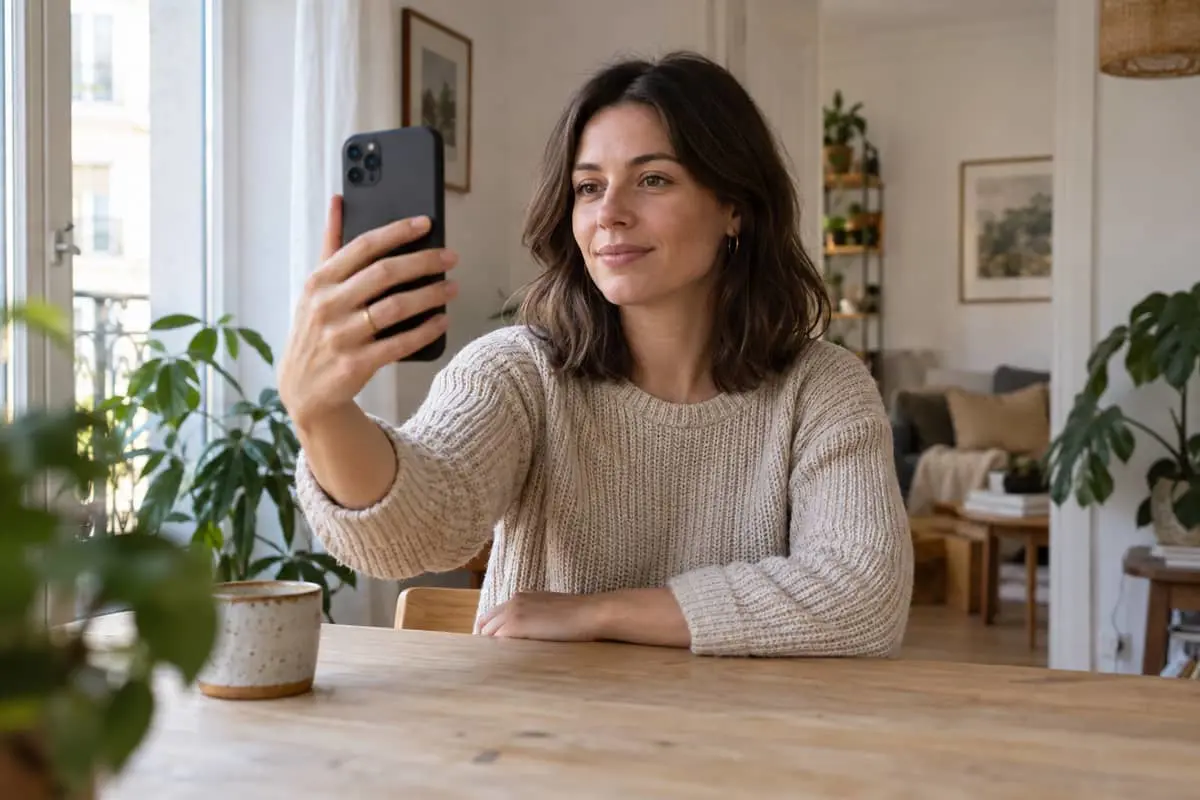
- ID document checked
- Selfie matches the ID photo
- Live person on camera
Trust is what makes a swap happen.
Saying yes to a swap means trusting someone with your home, and them trusting you with theirs. Before that yes, most members look at your profile, read reviews, have a good chat and often a video call. The Identity Verified badge adds one more thing they can see straight away: you took the extra step to confirm who you are.
Add credibility to your profile
Your profile tells members about you. Your Identity Verified badge shows you’ve completed an ID and selfie check and received an approved result.
Build trust before your first swap
New to Swaphouse? You may not have reviews yet, but you can still take an extra step to introduce yourself with confidence. Verification gives potential swap partners another useful signal while they get to know you.
Help make impersonation harder
Checking an ID against a live selfie adds an obstacle for anyone trying to use someone else’s identity. Choosing to verify helps make checked identities a more visible part of the Swaphouse community.
What Didit checks
Identity checks, handled by Didit.
Didit is the identity-check company we work with. It checks your ID document and compares it with you, on camera.
Your ID document
A scan of your ID card, passport or driver’s license. Didit checks the document and matches your legal name to the name on it.
A selfie that matches
Didit compares your verification selfie with the photo on your ID to check whether they show the same person. This helps detect someone trying to verify with another person’s document.
A live person
A liveness check looks for a live person in front of the camera, which helps spot a photo or a screen.
Didit also looks at device and connection information for signs of possible fraud. Together, these checks make impersonation harder. They can’t make it impossible.
Clear about what it means.
The Identity Verified badge shows that a member received an approved identity-check result. Here’s what was checked and what the badge doesn’t confirm.
What it tells you
- ID document checked: Their identity document received an approved result.
- Selfie matched to the ID photo: Their verification selfie matched the photo on their document.
- Live-person check passed: Their selfie passed a live-person check designed to help detect photos or screens.
- Legal name matched: Their confirmed legal name matched the name on their ID.
These checks reflect the information provided at the time of verification.
What it doesn’t tell you
- How someone will behave: It doesn’t guarantee honesty, reliability or how they’ll look after your home.
- Who uses the account or will stay: It doesn’t confirm who controls the account later or cover partners, co-hosts and other guests.
- Whether their public profile matches: Their public name and profile photos aren’t verified as part of this check.
- Whether they have a criminal record: Identity verification does not include a criminal background check.
Want another trust signal? You can also verify your home address by mail. Learn about Address Verification
Four steps to your Identity Verified badge.
Go to your profile
Choose Start verification. Read the verification information and privacy notices, then confirm your consent to continue.
Confirm your name
Enter your full legal name as it appears on your ID. Once that’s confirmed, you can choose the public name other members will see.
Scan ID and take a selfie
Didit emails you an invitation. Open it on your phone and follow Didit’s steps.
Get your result
Follow the status in your Swaphouse profile. Once approved, your Identity Verified badge appears automatically.
What you’ll need
- A mobile device to scan your ID and take a selfie
- An ID card, passport or driver’s license
What happens with your ID and selfie.
Didit carries out the identity check for Swaphouse. Here are the key things to know before you choose to verify.
What you share
Didit, our identity-verification provider, receives your legal name, email address, ID document and selfie. The selfie step may also capture video to help check that a live person is present, rather than a photo or screen. Didit also collects device and connection information for fraud checks.
What Didit checks
Didit checks your ID, matches your legal name to the document, and checks that your selfie matches the ID photo and shows a live person. It uses facial measurements, called biometric data, and checks device and connection information for possible fraud.
Who can see it
Members see your public name and Identity Verified badge. Your ID, verification selfie and verified legal name aren’t shown publicly. Swaphouse never sees your ID or selfie. We only receive the result of your check.
What’s deleted, and what stays
Didit deletes your ID images, selfie, any video and facial measurements after one month. We keep your verified legal name, approval result and check date for as long as you keep your badge. If your check isn’t approved, we delete these details after one month. We also delete them when you remove verification or delete your account.
You stay in control
You can remove your identity verification from your Swaphouse profile at any time, or ask Swaphouse Support to help. Your badge disappears immediately. We delete your verification record, including your verified legal name, and ask Didit to delete any remaining verification data. If you want the badge back later, you’ll need to verify again.
Where it’s handled
Didit processes your data in the EEA. Any transfer outside it is protected by standard EU data protection clauses. Read where Didit processes your data, or see Didit’s privacy notice and our Privacy Policy for the full details.
A great start, not the whole story.
An Identity Verified badge is a helpful signal, but not a reason to trust someone straight away. The best swaps still start with getting to know each other, and you always decide who you swap with.
Have a video call
Get to know the person who’ll actually stay, and ask any questions you have.
Read reviews
Look at past swap experiences, where there are any, alongside the rest of the profile.
Agree on the details
Who’s staying, the dates, house rules and how you’ll hand over the keys.
Pause if something feels off
You never have to go ahead just because someone has an Identity Verified badge. Report a concern
More tips in our home swapping safety guide.
We’ll be straight with you.
What identity verification does and doesn’t cover, in short. Our Terms & Conditions and the law take priority over this page.
Read our Terms & Conditions-
Optional, and free for now.
Verifying your identity is your choice, and not having an Identity Verified badge doesn’t mean someone is unsafe or dishonest. We cover the cost of each check for now. We may charge for it later, but you’ll see the price before you start. We’d love your feedback in the meantime.
-
Verification reflects one moment in time.
An approved check reflects the person and information presented at the time. Checks can make mistakes, miss fraud or be worked around, and the Identity Verified badge doesn’t prove who controls an account later or who will turn up.
-
Verification isn’t a guarantee.
We can’t guarantee any member’s honesty or behavior, or that a swap will be safe, legal or go well. Identity verification isn’t insurance, damage protection or a promise of compensation, and we don’t endorse verified members. Separate protection, like Truvi, has its own terms.
-
You decide, and you stay responsible.
You choose who you swap with. You remain responsible for your own checks, your permission to offer your home, your arrangements, your insurance and your conduct. Please don’t rely on an Identity Verified badge alone.
-
Our role in your swap.
We’re not part of the swap agreement between you and another member. As far as the law allows, we’re not responsible for losses caused by another member, or for treating an Identity Verified badge as a guarantee. Nothing here limits liability that can’t legally be limited, or affects your consumer rights.
-
Verification can be reviewed.
We may review or suspend an Identity Verified badge if concerns come up, and may ask you to verify again if anything changes or an earlier check is no longer reliable.
Questions, answered.
Who is Didit?
Didit is the specialist identity-verification company that carries out Swaphouse’s ID, selfie and liveness checks. According to Didit, its platform is used by more than 2,000 businesses worldwide.
Didit encrypts verification data and has independently audited security controls. These include ISO 27001 certification and a SOC 2 Type II audit, which assess how it manages information security and protects customer data.
You can read more about Didit’s security credentials and how it handles verification data.
Is identity verification optional and free?
Yes. It’s optional and free for now, and you can keep using Swaphouse without it. Each check has a cost, which we’re covering while we roll it out. We may make it a paid feature later to cover those costs. If we do, we’ll show the price before you decide to start.
Why can’t I see the option yet?
We’re making it available gradually. When the “Verify your identity” option appears in your profile, it’s not a required step. Identity verification is optional and up to you. Don’t see the option in your profile? Reach out to Swaphouse Support so we can enable it for you.
What do I need to complete the check?
A mobile device to scan your ID and take a selfie, and an ID card, passport or driver’s license. Didit shows which documents it accepts for your country. You can start in your Swaphouse profile on any device, then open Didit’s email on your phone for the scan.
How do I know when I’m verified?
Once you’ve entered your name, Didit emails you an invitation and your profile shows that your check is pending. Follow Didit’s steps, then return to your Swaphouse profile to follow the status. As soon as we receive an approved result, your Identity Verified badge appears automatically. If the check isn’t approved, your profile shows whether you can try again or should contact us.
What if my check isn’t approved, or I can’t finish it?
You can keep using Swaphouse as usual, just without the Identity Verified badge. Your profile shows the next step. If a retry is offered, you can request a new invitation. You have up to three attempts in total, and an invitation that expires before you start doesn’t use one up. Cancelling a check doesn’t give you extra attempts. Each new attempt still needs to pass the checks.
Contact us if no retry is offered, you’ve used all three attempts, your link has expired, or an error leaves you unsure what to do. A failed check or a technical problem isn’t, on its own, a sign of fraud. Any separate concerns about misuse or breaking our rules are handled separately.
Can someone look into my result?
Yes. Contact us and explain what happened. A Swaphouse team member will look into it and explain the next steps. If the original verification data has already been deleted, you may need to complete a new check. We can also help if a technical error stopped you from finishing the check. Contacting us doesn’t automatically change the result or restore an Identity Verified badge. Please don’t send us your ID document or selfie.
Does my Identity Verified badge expire?
Not at the moment. If that changes, we’ll let you know in advance. Your Identity Verified badge shows that you passed the check at that time. It doesn’t mean we keep checking your identity or who uses your account. It also stays in place when Didit deletes your ID images and selfie after one month.
We may review or suspend it if concerns come up, and may ask you to verify again if anything changes or the earlier check is no longer reliable.
Are my public name and profile photos verified?
Your legal name is checked against your ID. Didit doesn’t check your public name, but it must match your verified legal name or a short form of it. Didit compares the selfie you take during verification with your ID photo only. It doesn’t compare it with your Swaphouse profile pictures or check your other photos.
Can I change my name after verifying?
You can edit your public name, as long as it matches your verified legal name or a short form of it. Don’t impersonate anyone. We may review changes and ask for clarification. Your legal name is locked once you’ve confirmed it. To use a different legal name, for example after a legal name change, remove your verification and verify again.
Does one Identity Verified badge cover our whole household?
No. Each member verifies their own identity, so one Identity Verified badge doesn’t cover a partner, co-host or everyone who may stay. Check which person is verified in the listing’s trust information.
Where does Didit handle my information?
Didit runs the identity check for Swaphouse. Its technology reads your ID, checks for a live person in front of the camera and compares your selfie with your ID photo. It also looks at device and connection information for signs of possible fraud. Didit says it protects this information by encrypting it (making it unreadable without the right digital key) and by limiting who can access it. Some checks may also be reviewed by a person.
Didit processes your data in the EEA. Any transfer outside it is protected by standard EU data protection clauses.
For the latest details about where your information is handled, which companies help Didit and how it’s protected, read Didit’s Verification Privacy Notice. You can also ask us.
Is my ID or selfie used to train AI?
No. We’ve turned this off. Didit says it won’t use verification information from Swaphouse members to build, test or improve its AI models, for earlier and new checks. Didit still uses its technology to run your check.
Can I remove my identity verification?
Yes. You can remove it from your Swaphouse profile, or contact us and we’ll do it for you. Removing verification removes your Identity Verified badge and verification data. You’ll need to verify again to get the badge back.
The badge disappears straight away. We delete our verification record and ask Didit to delete any verification data it still holds, which can take a little time to complete. Your public name, profile and any other verifications or badges stay as they are. If you manage your home with a co-host, their own identity verification isn’t affected.
How can I see, correct or delete my data?
Contact us to ask for access to your data or a correction, or with any question about your verification data. You can remove your verification yourself from your Swaphouse profile. Please don’t send identity documents in a regular support message. Our Privacy Policy and Didit’s Verification Privacy Notice explain your privacy rights, and any cases where information must be kept by law.
What should I do if a (verified) profile on Swaphouse seems off?
If you suspect a profile is misleading or someone is impersonating another person, report it to Swaphouse Support with a link to the profile and explain your concern. We may contact the member, remove their verification badge or suspend or terminate their account if needed. As always, you decide whether to proceed with a swap. An Identity Verified badge is never a reason to ignore a concern.
Ready when you are.
Look for “Verify your identity” in your profile. It’s optional, free for now, and one more way to help members get to know you before they say yes.
We’re making it available gradually, so it may not show for everyone yet.