Updates
Our latest platform news, features and improvements
October 23, 2026
A second home? You can list that too
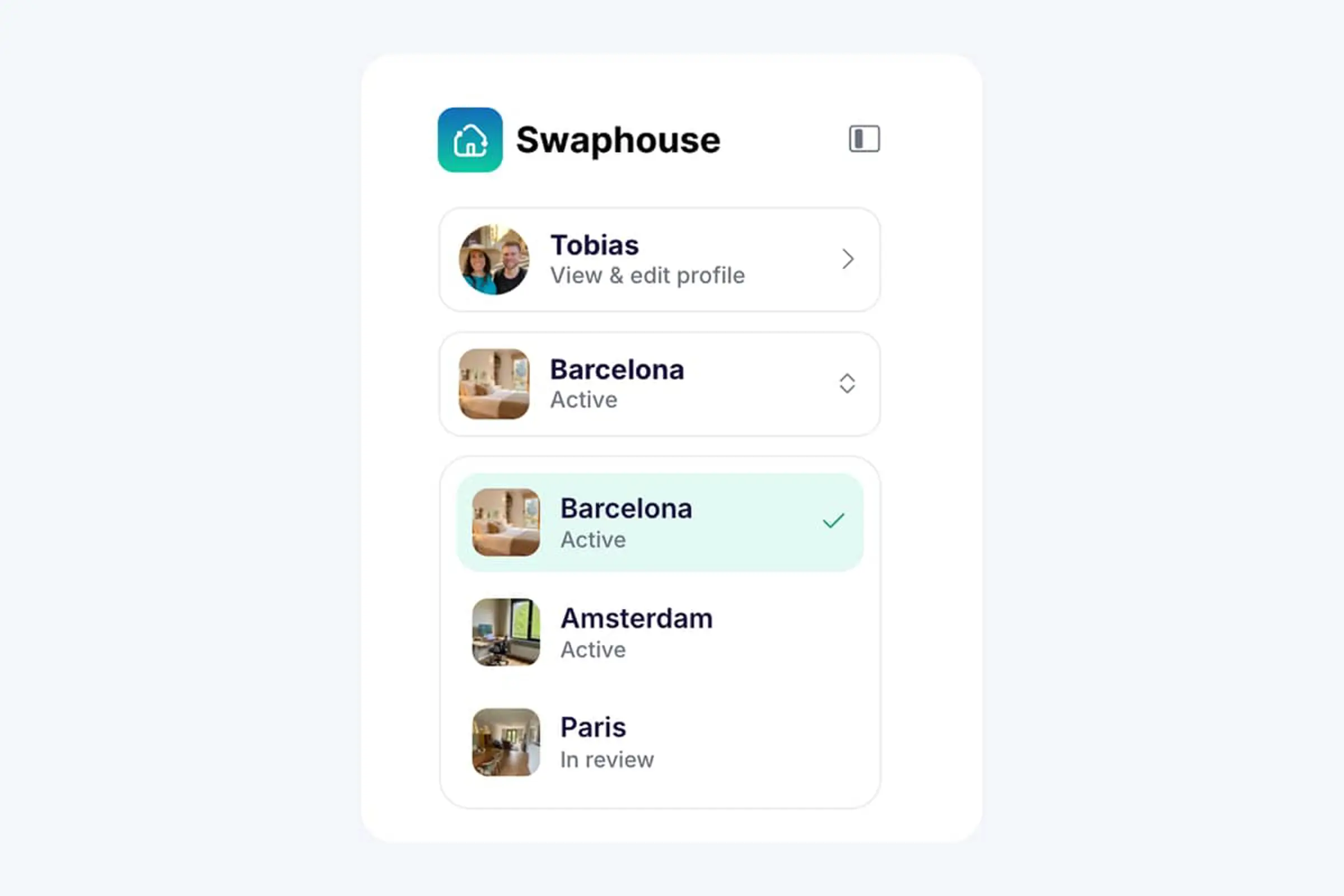
If you happen to have a second home or holiday place (lucky you!), you can now list it on Swaphouse too.
The Add new listing option we recently introduced for members moving homes also lets you keep multiple homes listed. Go to your current home listing and click Add new listing to get started.
Once added, you can easily switch between your homes using the home selector in the menu. Just click your current home and choose the one you'd like to manage.
Each listing has its own likes, passes, matches, messages and swap history. Your profile, settings and swap reviews are shared across your listings, so there's no need to create a separate account.
October 10, 2026
Moved homes? Bring Swaphouse with you
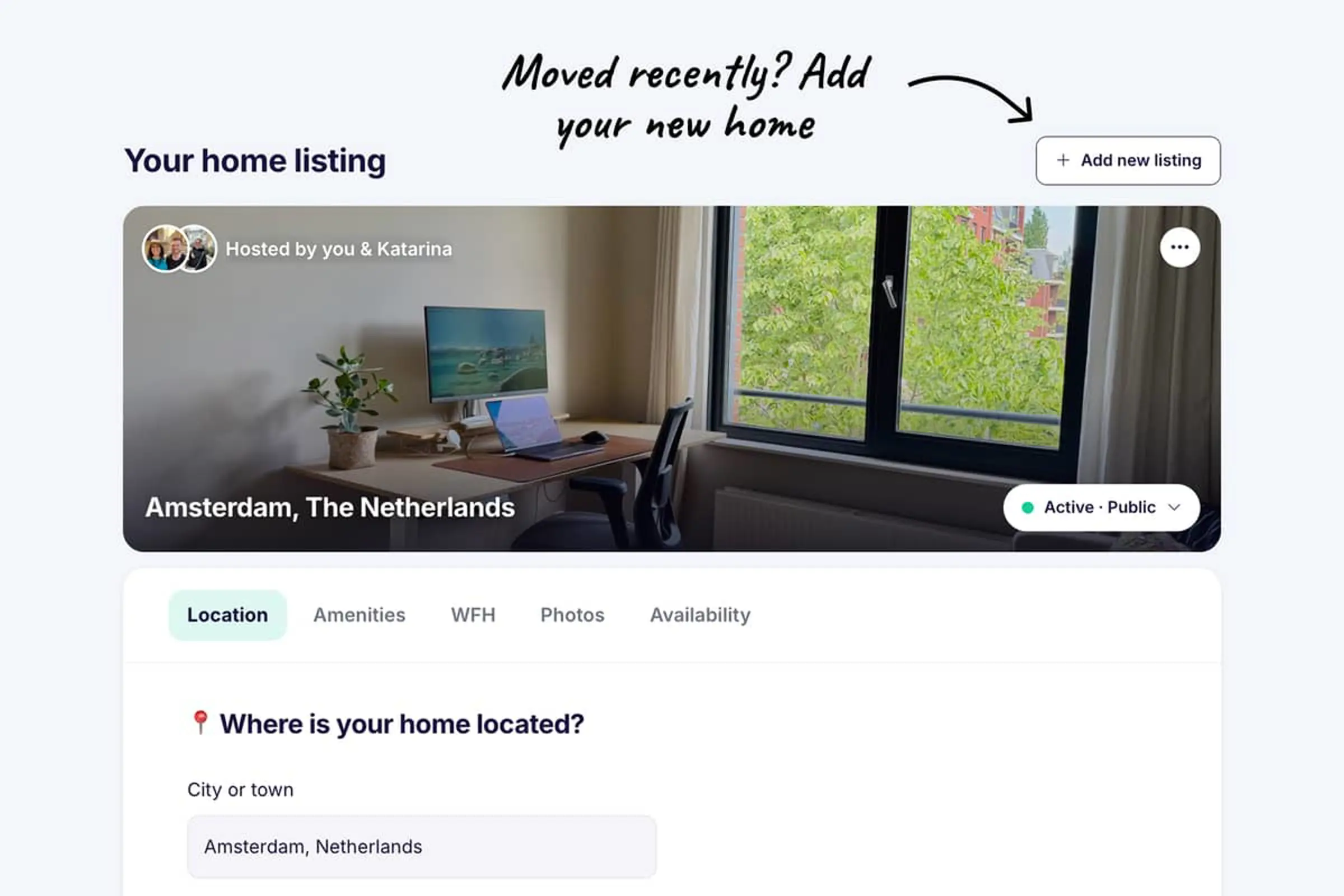
Moving to a new home doesn't mean starting over on Swaphouse (anymore!).
You can now add a new home to your account without starting over, whether you've already moved or you're still planning the move.
Go to your current home listing and click Add new listing. Once your new place is set up, you can remove the old one whenever you're ready. Your old listing stays where it is until you decide to remove it.
Good to know
- Each listing has its own activity. Likes, passes, matches, messages and swap history stay with the listing they belong to.
- Your account stays connected. Your profile, settings and swap reviews are shared across all your listings, so the reputation you've built comes with you.
September 26, 2026
Switch between photos and a map on Explore
Found a home you like, but not sure where the town or neighborhood is?
You can now switch between photos and a map for each home on the Explore page. Quickly see where an unfamiliar town or city sits within the country, or get a better sense of the area before deciding whether you'd like to swap.
For homes in bigger cities, if the host has added a recognized neighborhood, you can also see where that neighborhood is within the city.
It's a simple way to get to know a destination while browsing and decide whether it's somewhere you'd love to stay.
September 12, 2026
Always see your co-host in chat
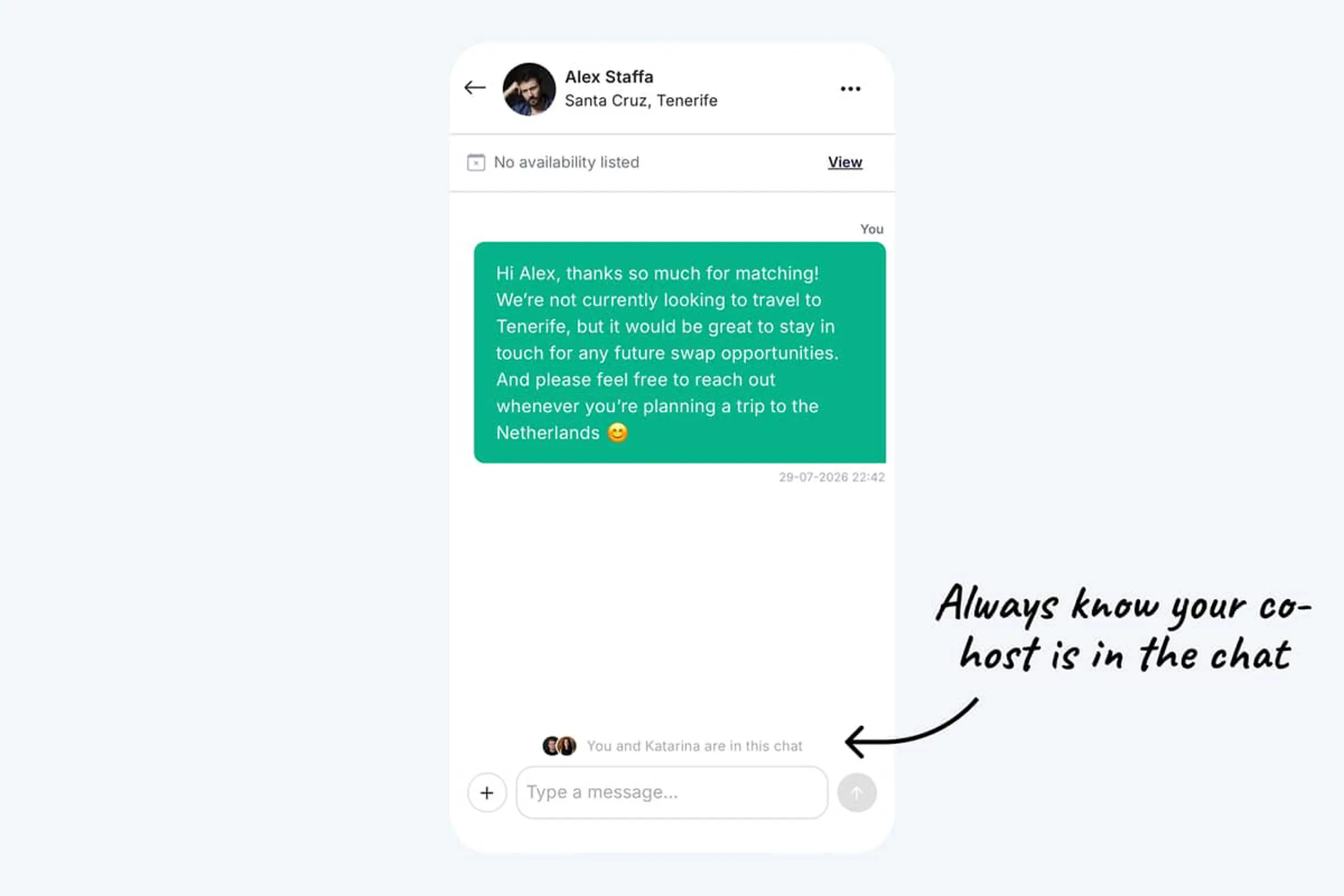
If you manage Swaphouse with a co-host, you both share the same chats with your matches. It wasn't always obvious that they were in the conversation too.
You'll now see both of you at the bottom of every chat with a match, so you always know your co-host can see and reply to the same messages.
That way, you can keep planning swaps together without wondering who's in the loop.
August 28, 2026
New: Private rooms are clearer on Explore
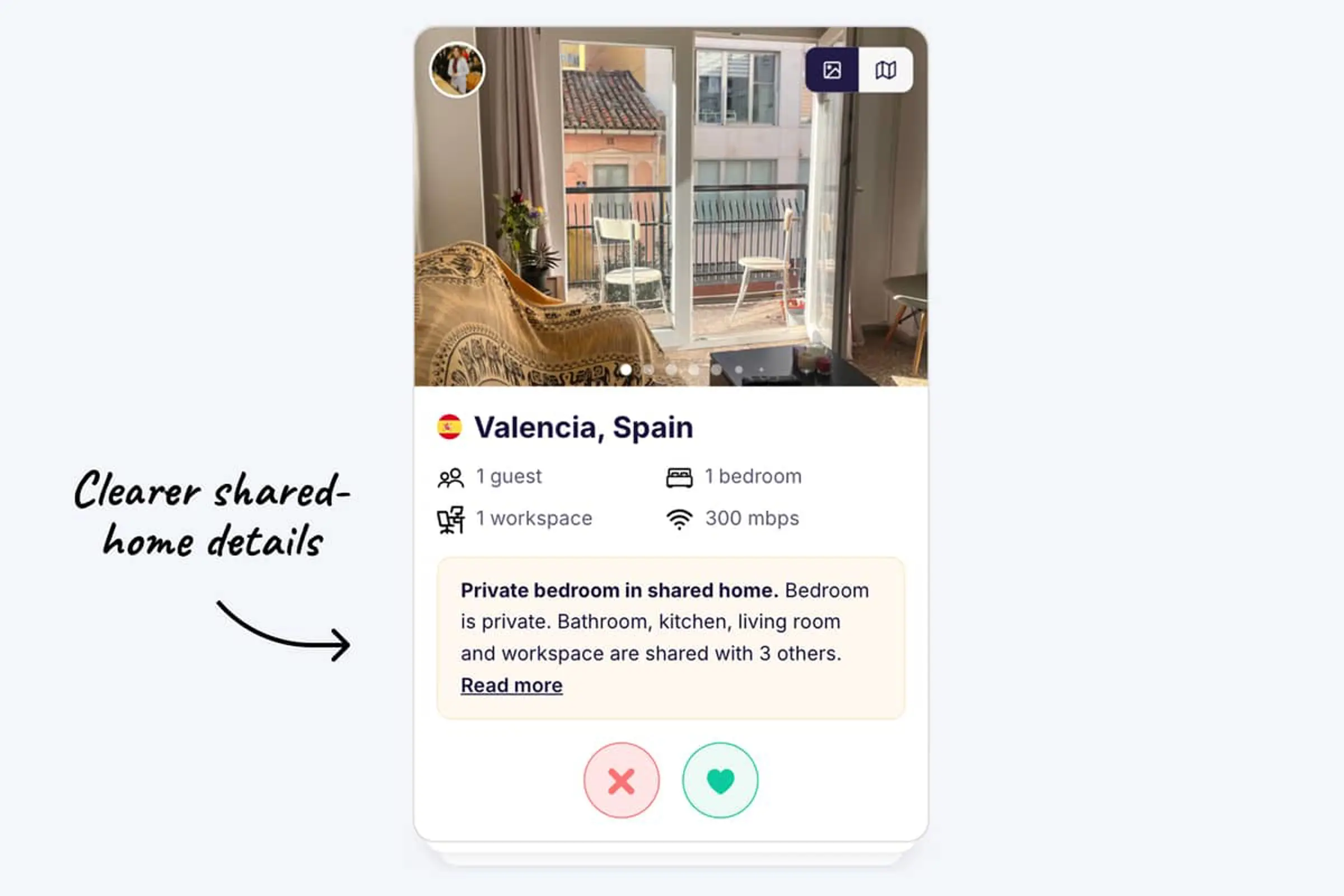
When you list a private room in a shared home and mark which spaces are private or shared, that information is now also shown to other members while they browse.
On Explore and on the home listing page, shared-home listings now include a clear note. Other members can see that it's a private room, not an entire home, which spaces they'll share, and how many people they'll share them with.
This makes it much easier to know what to expect before liking or matching.
August 14, 2026
New: Mark private and shared spaces
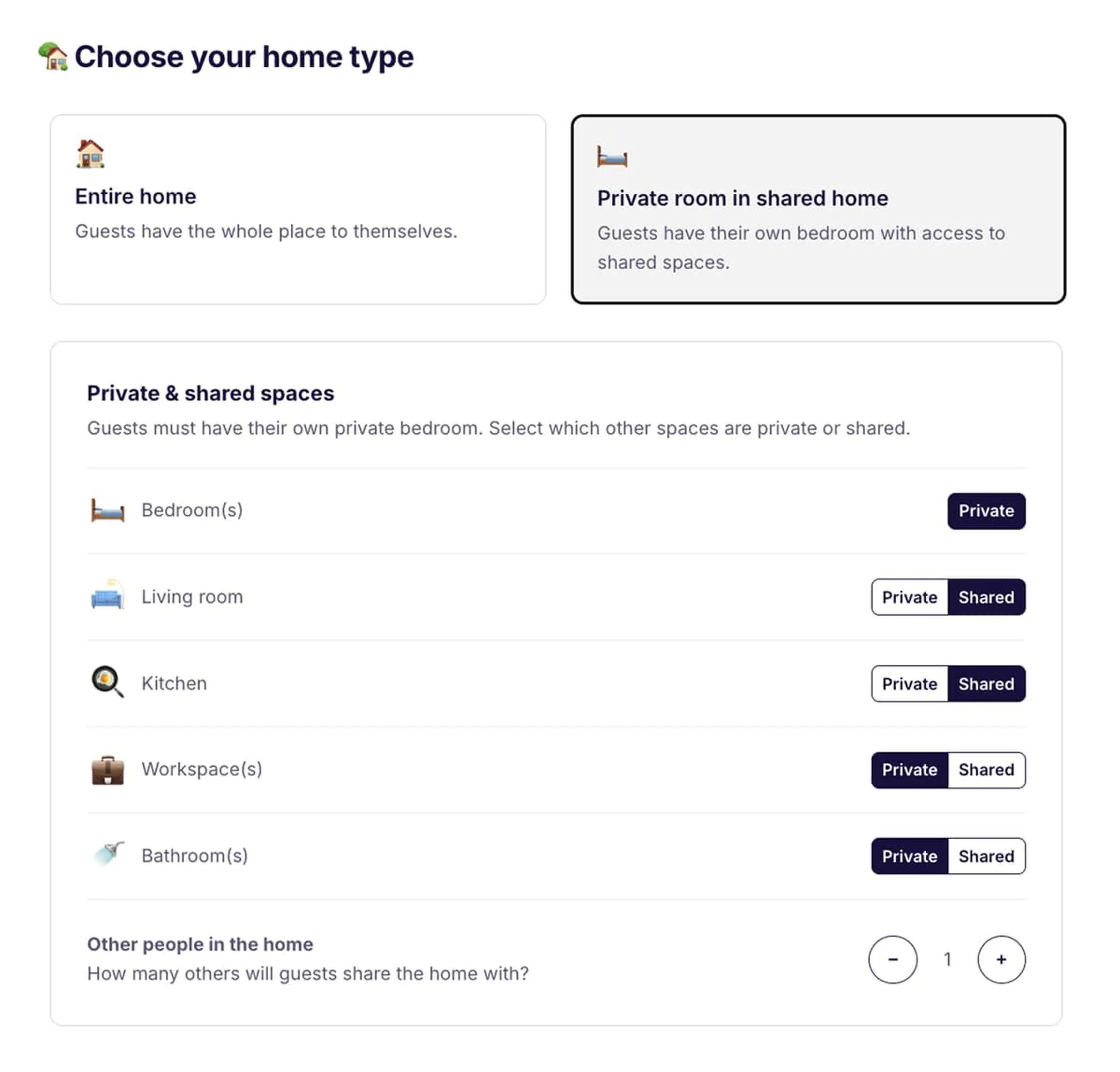
Now that you can list a private room in a shared home, you can also show guests exactly which spaces they'll share and which are theirs.
When you choose Private room in a shared home, guests always have their own private bedroom. You can then mark other spaces as private or shared, such as the living room, kitchen, workspace, and bathroom.
You can also say how many other people guests will share the home with.
This makes shared-home listings much clearer, so everyone knows what to expect before matching.
August 1, 2026
New: Select your home type
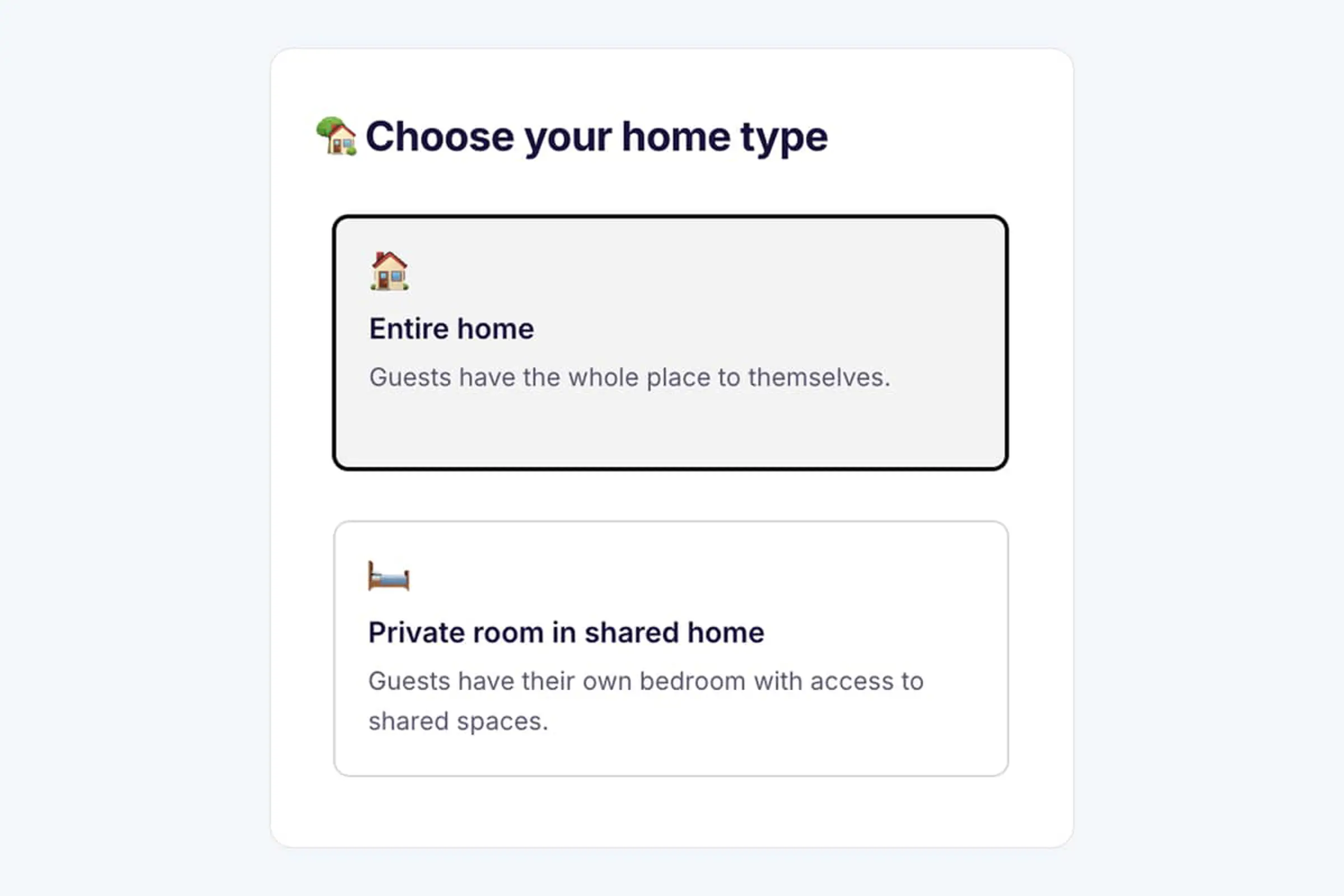
Swaphouse is no longer just for people who can offer an entire home. You can now choose which type of space you're listing:
- Entire home: Guests have the whole place to themselves.
- Private room in a shared home: Guests have their own bedroom and access to shared spaces.
We built this after hearing from members, especially younger people and students, who live in shared homes but would still love to swap. By making room swaps possible, we hope to make Swaphouse accessible to even more people.
Home types are now clearly distinguished across the platform, making it easier to find the kind of stay that suits you and to know exactly what to expect before matching.
July 17, 2026
New: Manage Swaphouse together
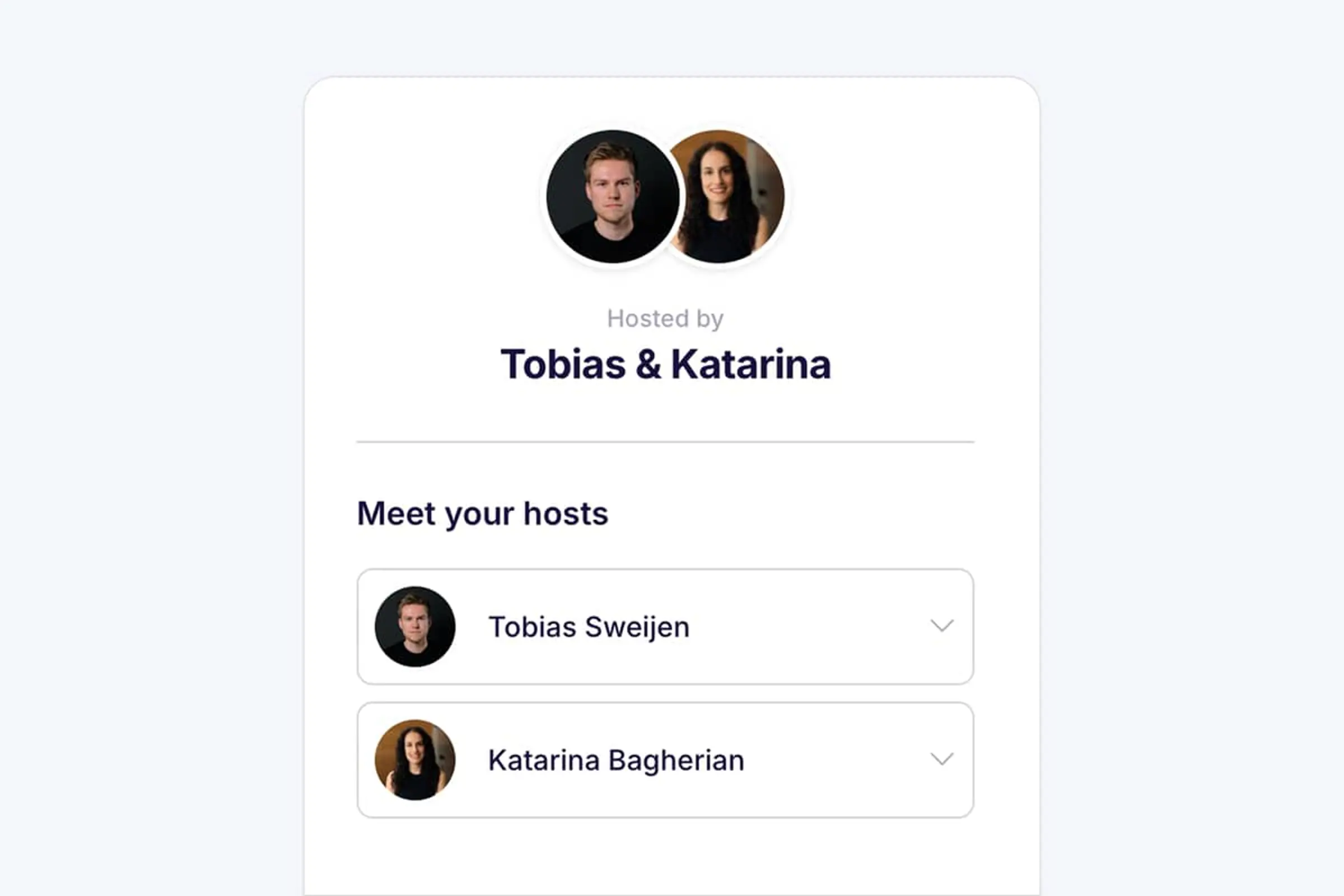
Planning swaps together just got a whole lot easier.
You can now invite your partner, family member, or travel companion to become a co-host of your home. You'll both have your own Swaphouse account, while managing the same listing together.
That means you can both browse homes, like and match, send messages, and arrange swaps together without sharing one login.
How it works
First, add the person you travel with under Who travels with you? in your Profile. When adding them, you can immediately choose to invite them as a co-host.
Already added someone as a travel companion? You'll now see an Invite as co-host link below eligible travel companions. Click it, enter their email address, and send the invite.
Your co-host will receive an email, accept the invitation, and create their own Swaphouse account using their own LinkedIn account. Once signup is complete, we'll automatically connect both accounts to the same home listing.
Co-hosting is completely optional, so you can also continue managing your home on your own.
More information about managing home swaps together with a co-host
July 3, 2026
Edit your listed availability
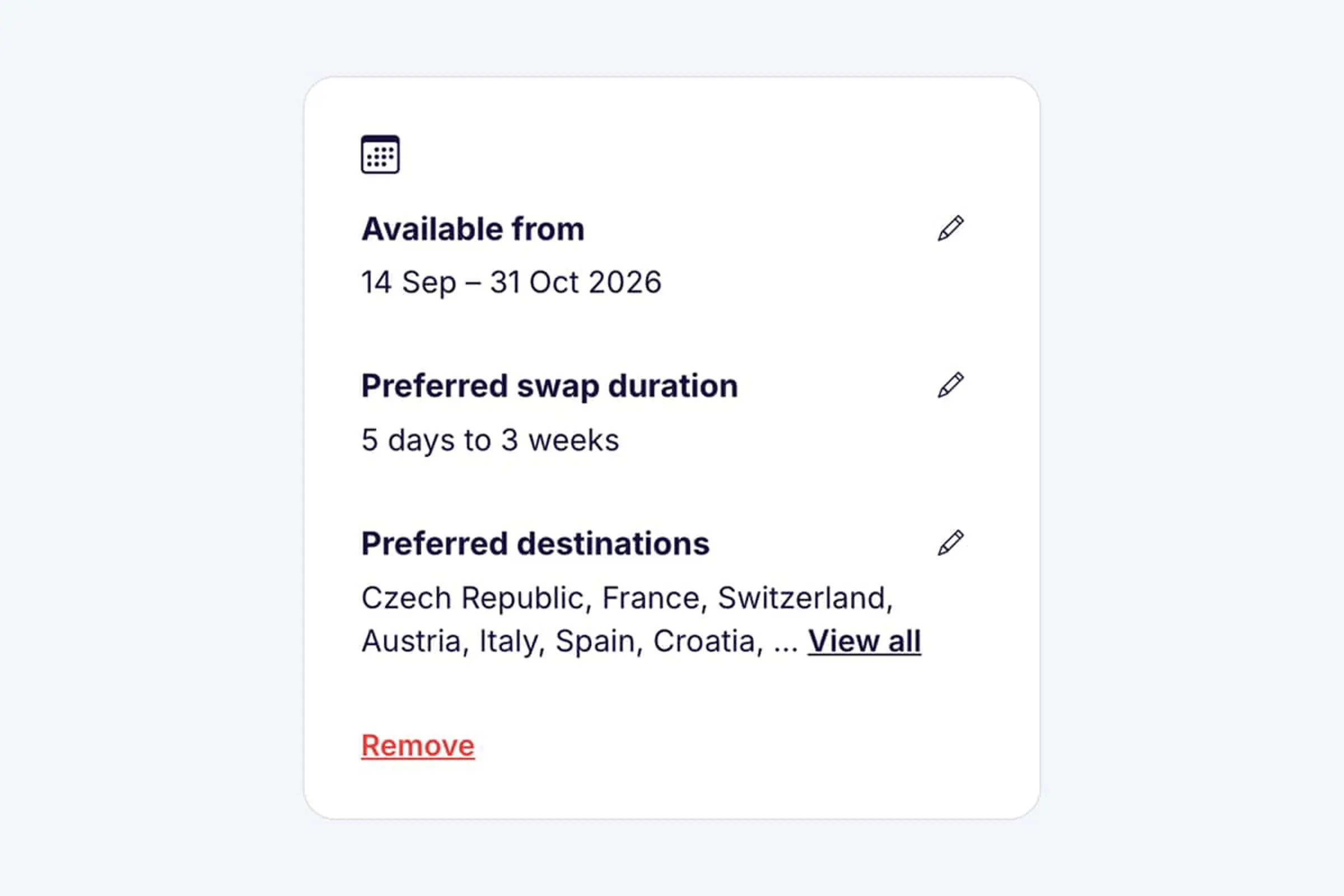
Plans change, and now your Swaphouse availability can change with them.
Until now, you had to remove your listed availability and create a new one if your travel dates, preferred swap duration, or preferred destinations changed. From now on, you can simply edit your existing availability instead.
You can update:
- Your available dates
- Your preferred swap duration
- Your preferred destinations
This makes it easier to keep your profile up to date and helps other members see when and where you're actually open to swapping.
June 20, 2026
New remote work filters
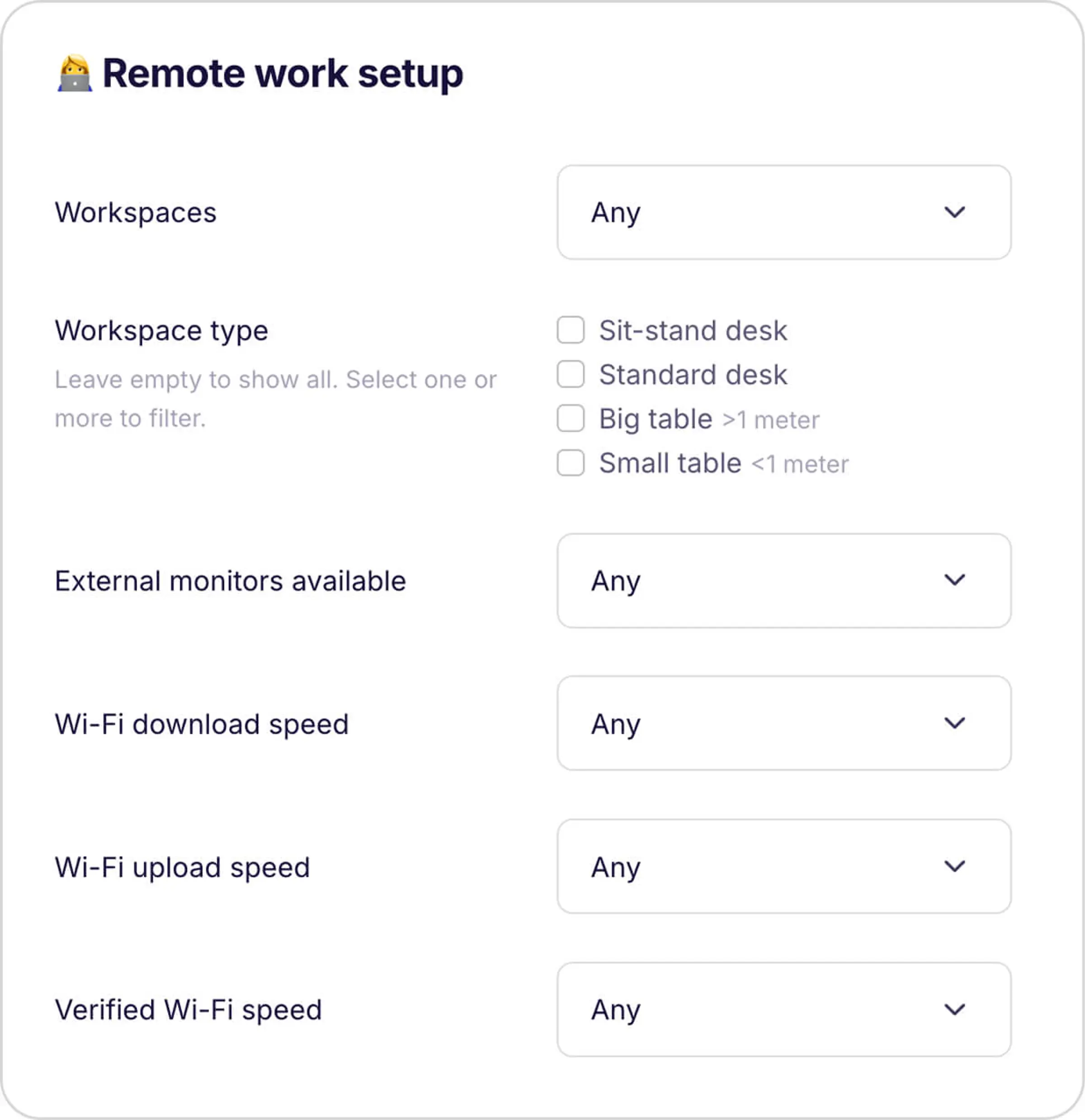
Many Swaphouse members plan to work remotely during their swap, so finding the right work setup matters.
You could already filter homes by the number of available workspaces and minimum Wi-Fi download and upload speeds. Now, we've added even more ways to find homes that fit the way you work.
You can now also filter by desk type, homes that have verified their Wi-Fi speed, and whether external monitors are available, making it easier to find a place that works for your workday.
June 13, 2026
Filter swap matches by availability
Not every match is ready to become a swap right away. Your dates might not overlap, the trip length might be different, or the other person may be looking for a different destination.
That's why we've added a new way to find the matches that best fit your actual swap plans.
On the Matches page, you can now select one of your own availability periods and let Swaphouse show which mutual matches line up best. You can filter by overlapping dates, preferred swap length, destinations, and people who are looking for your area.
For example, if you're available for two weeks in August and would love to swap somewhere in Spain, you can quickly see which of your matches are available around the same time, fit your preferred trip length, and are open to swapping with someone in your area.
The filter works in both list view and map view. Matching homes are highlighted, your match count updates automatically, and availability dates now show the periods that actually overlap with your plans.
You can also choose how broad "your area" should be. Include people looking for your city, country, continent, or even members who are open to anywhere.
If you haven't added availability yet, we'll guide you to do that first. Once added, you can focus on the matches where a swap is most likely to come together.
May 23, 2026
See your match's availability directly in chat
Planning a swap often starts in the chat, so we're making the most important planning details easier to find.
You can now see a match's availability directly in your chat with them. No need to open their home listing, scroll around, or click through multiple pages just to check if their home is available.
When a match has added availability, we'll show their dates right inside the chat screen. Click on the availability card to see more details, including:
- All preferred dates
- Preferred swap duration
- Preferred destinations
This should make it much easier to understand whether there's a potential fit and keep the conversation moving without leaving the chat.
May 10, 2026
Improved Matches Map View
Your Swaphouse Matches are now easier to explore on the map.
We've updated the Matches map view so matches are grouped more clearly, including by continent, making it quicker to zoom in on the areas you're most interested in. We've also improved how pins are grouped, so the map feels cleaner and gives you a better overview of where your potential swaps are located.
You can now also use filters directly on the map to narrow things down and find the matches that best fit your plans, whether you're looking for a specific country, home setup, or remote-work essentials.
May 9, 2026
Commitment step for swap requests
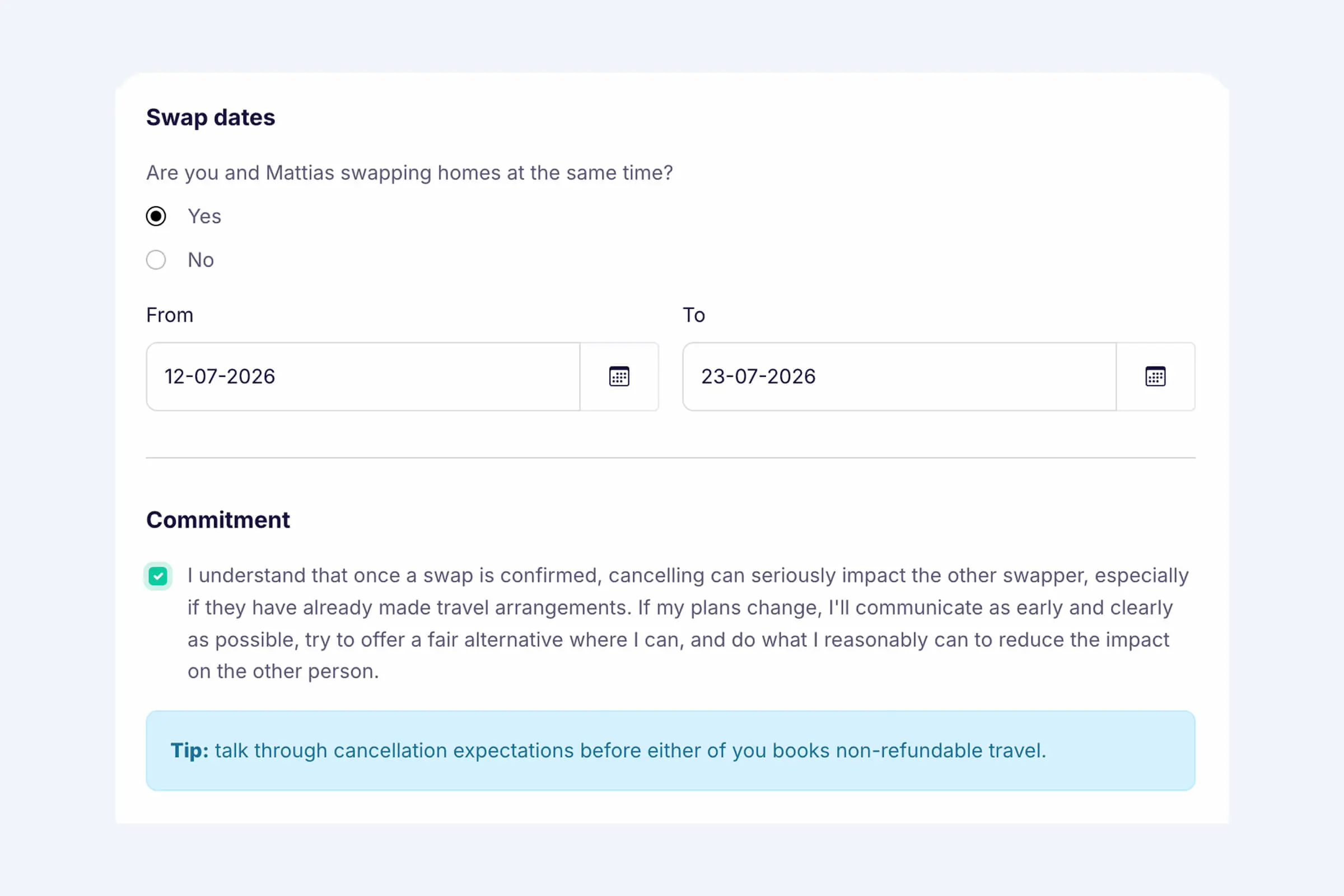
We've added a new Commitment section to the swap request flow, reminding members that a confirmed swap is a real commitment and that cancelling later can seriously affect the other swapper, especially if travel plans have already been made.
Before sending a request, members confirm they'll communicate as early and clearly as possible if plans change, and try to reduce the impact where they reasonably can.
We've also added a reminder to discuss cancellation expectations before booking non-refundable travel. For more tips, read our guide: Home swap cancellations: how to prepare and communicate clearly.
April 25, 2026
Show if you're traveling solo or with others
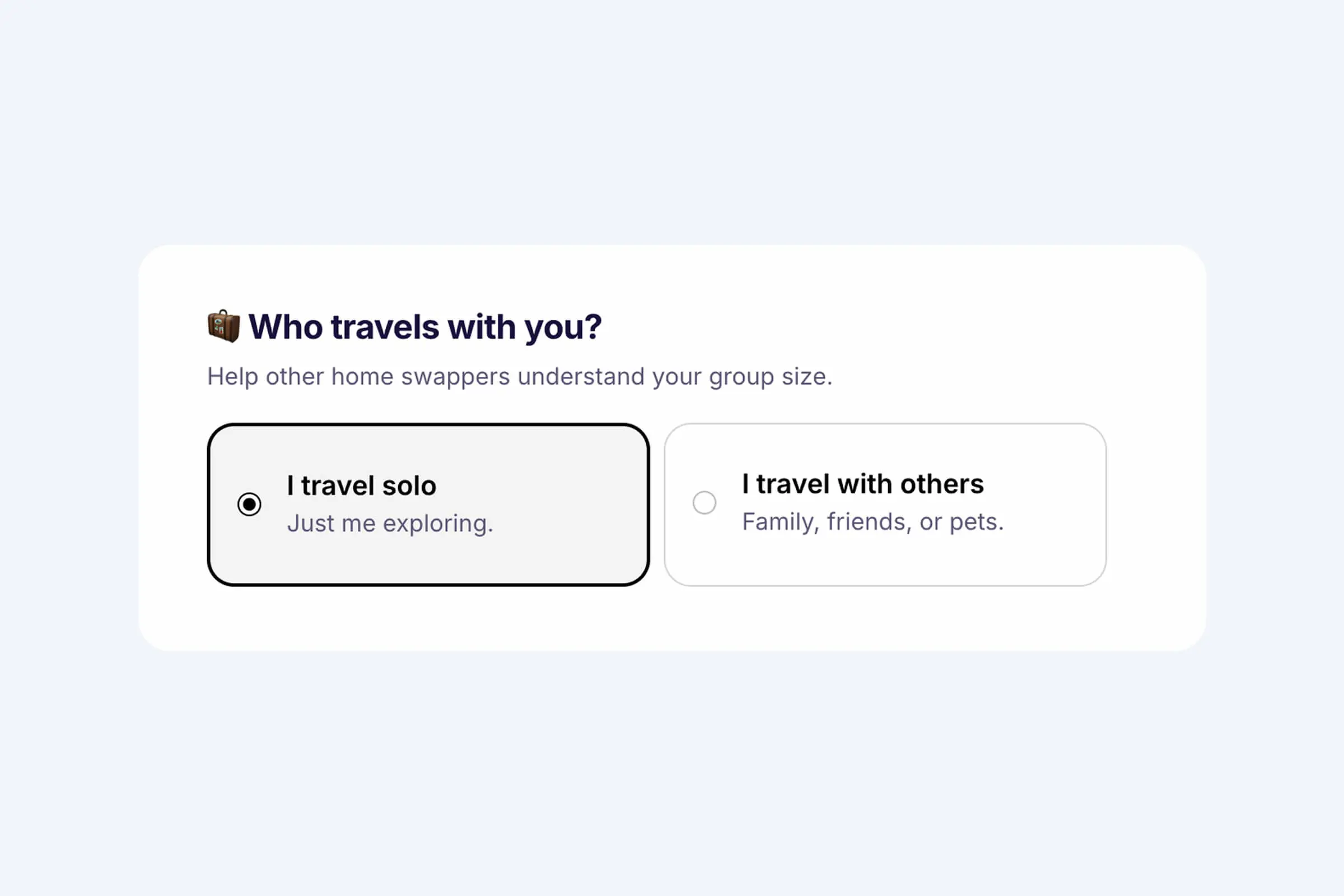
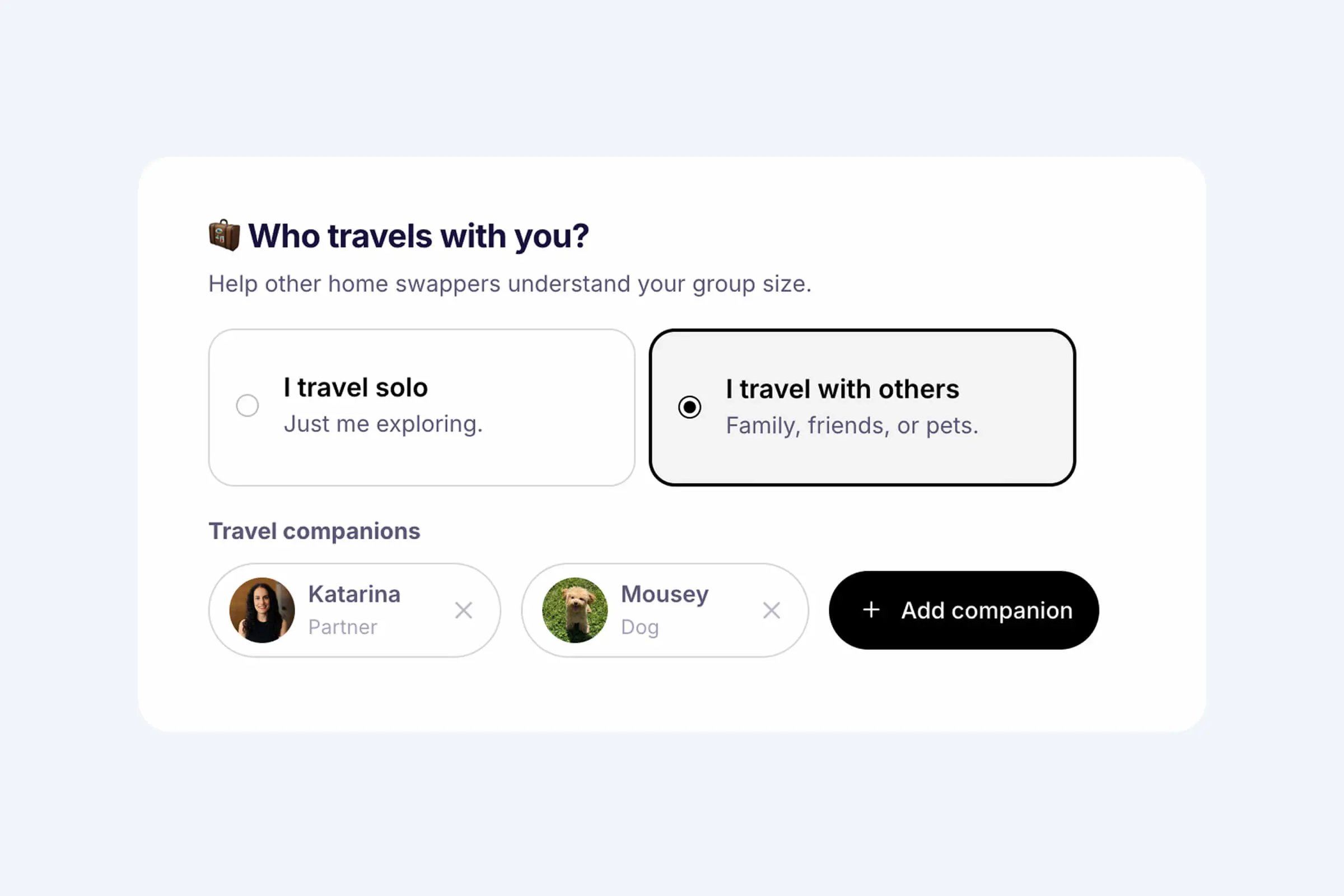
A small update that can make planning a swap feel a lot clearer: on your Profile page, you can now show whether you usually travel solo or with others.
Some people swap homes alone, while others travel as a couple, with family, with friends, and sometimes with pets too. Until now, that context was not always obvious from a profile, which could make it harder to understand whether a potential swap is a good fit.
Open Profile to add who you typically travel with. It gives other members a better sense of your plans before they match or start a conversation, and helps avoid unnecessary back-and-forth later on.
April 18, 2026
Add your neighborhood to your listing
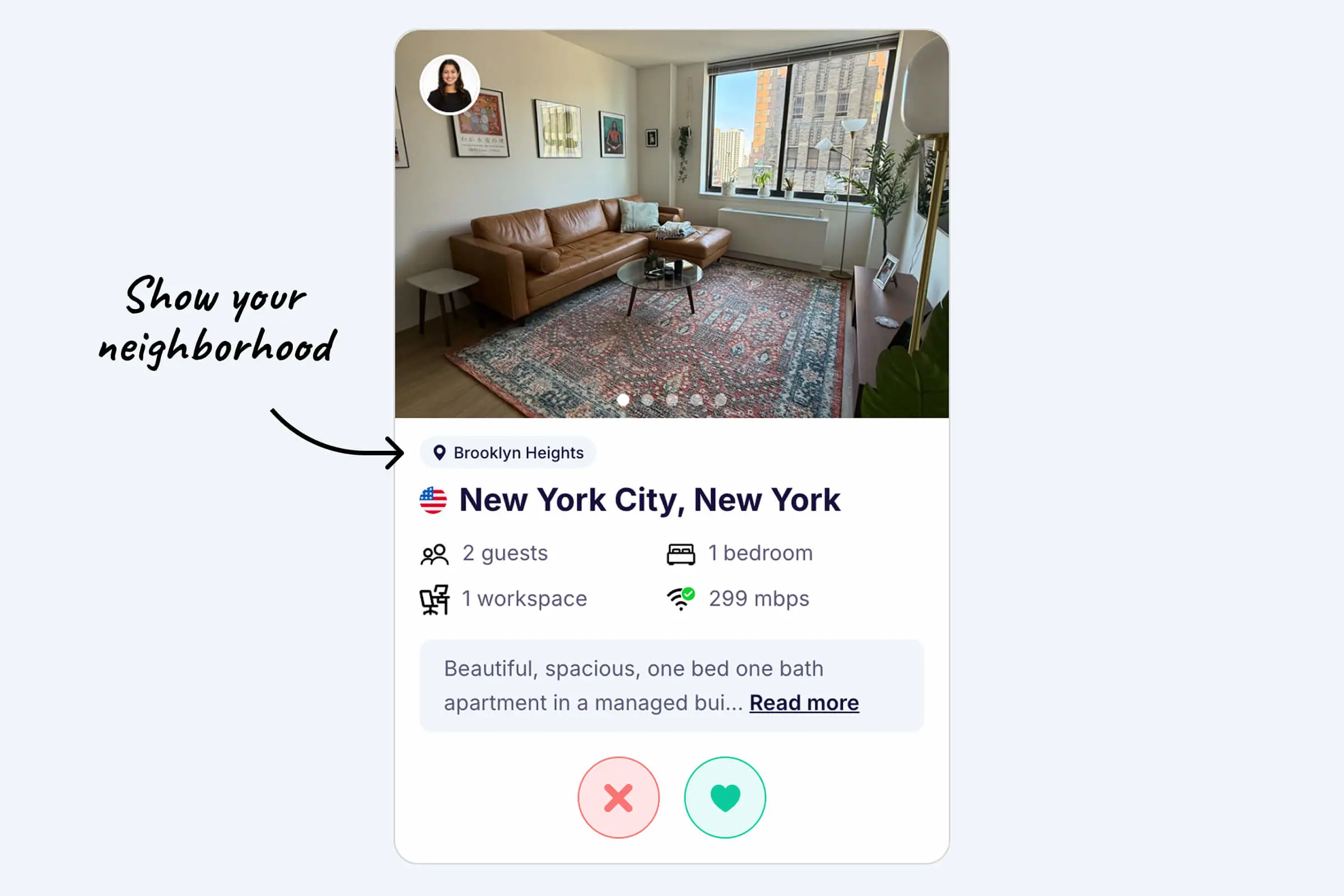
If you live in a bigger city, you can now add your neighborhood, district, or local area to your Swaphouse listing. This lets you share a bit more specifically where your home is located, without sharing your full address.
It gives other members better context about the area, helps them understand which part of the city your home is in, and makes your listing feel more informative and useful at a glance. Once added, your area now appears directly on your listing together with a clearer map.
This feature is mainly meant for homes in larger cities where neighborhoods, districts, or similar local areas are commonly used. For smaller towns or places where that is less relevant, it is usually not needed, but you're free to add it!
Show examples
- New York: Brooklyn, Manhattan, Queens, Williamsburg
- London: Notting Hill, Brixton, Camden, Shoreditch
- Paris: Le Marais, Montmartre, 4th arrondissement
- Berlin: Mitte, Kreuzberg, Friedrichshain
- Barcelona: Gràcia, El Born, Eixample, Poblenou
- Rio de Janeiro: Copacabana, Ipanema, Leblon, Botafogo
- Tokyo: Shibuya, Shinjuku, Asakusa, Ebisu
Want more tips and context? Read our full guide on adding your neighborhood to your listing.
Adding your area takes less than a minute. Here's how.
- Log in to Swaphouse.io
- Open your Home Listing and go to Location
- Type in your neighborhood, district, or area
- Hit Save, that's it
Tip: Use the name locals actually use. That's usually the one other members will recognize, too.
April 11, 2026
Reply to messages
You can now reply to a specific message in chat, so it's always obvious what you're responding to.
On desktop, hover over a message and click Reply. On mobile, double-tap the message, then tap Reply. The original message appears highlighted just above the text field while you type—similar to the chat apps you already use.
It's especially handy when you're coordinating swap details, answering a question, or confirming plans without losing context.
April 4, 2026
Emoji Reactions
You can now react to messages with emojis on Swaphouse. 😍
Whether you want to quickly acknowledge a message, show excitement, or keep the conversation flowing, reactions make it easier to respond without writing a full reply.
To keep things fast and simple, we show 5 quick reaction options by default: ❤️ 👍 😂 😍 🙏. Want more? Click the + icon to choose from 150 additional emojis.
On desktop, hover over a message to react. On mobile, double tap a message.
March 27, 2026
Dark mode is here! 🌙
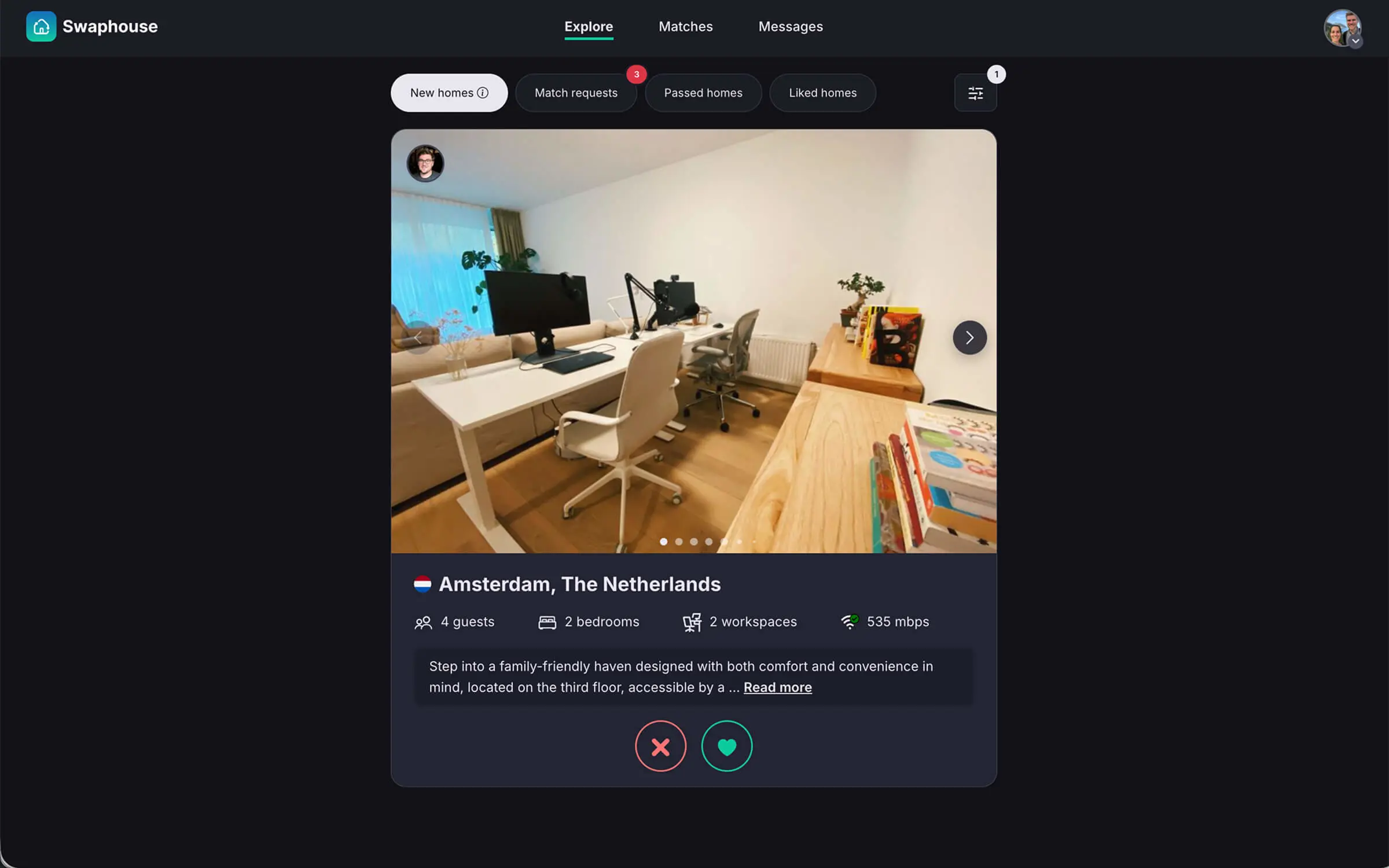
A lot of people use Swaphouse in the evenings, while traveling, or just from bed while browsing homes, planning swaps, and replying to messages. We wanted that experience to feel better and easier on the eyes.
That's why we've added dark mode to Swaphouse.
By default, Swaphouse is set to System, which means it automatically follows your device's current display preference. So if your phone or laptop is set to dark mode, Swaphouse will match it too. You can also switch manually between Light, Dark, and System anytime in Settings.
We hope you enjoy it, and as always, let us know what you think.
March 14, 2026
New: Community Comments
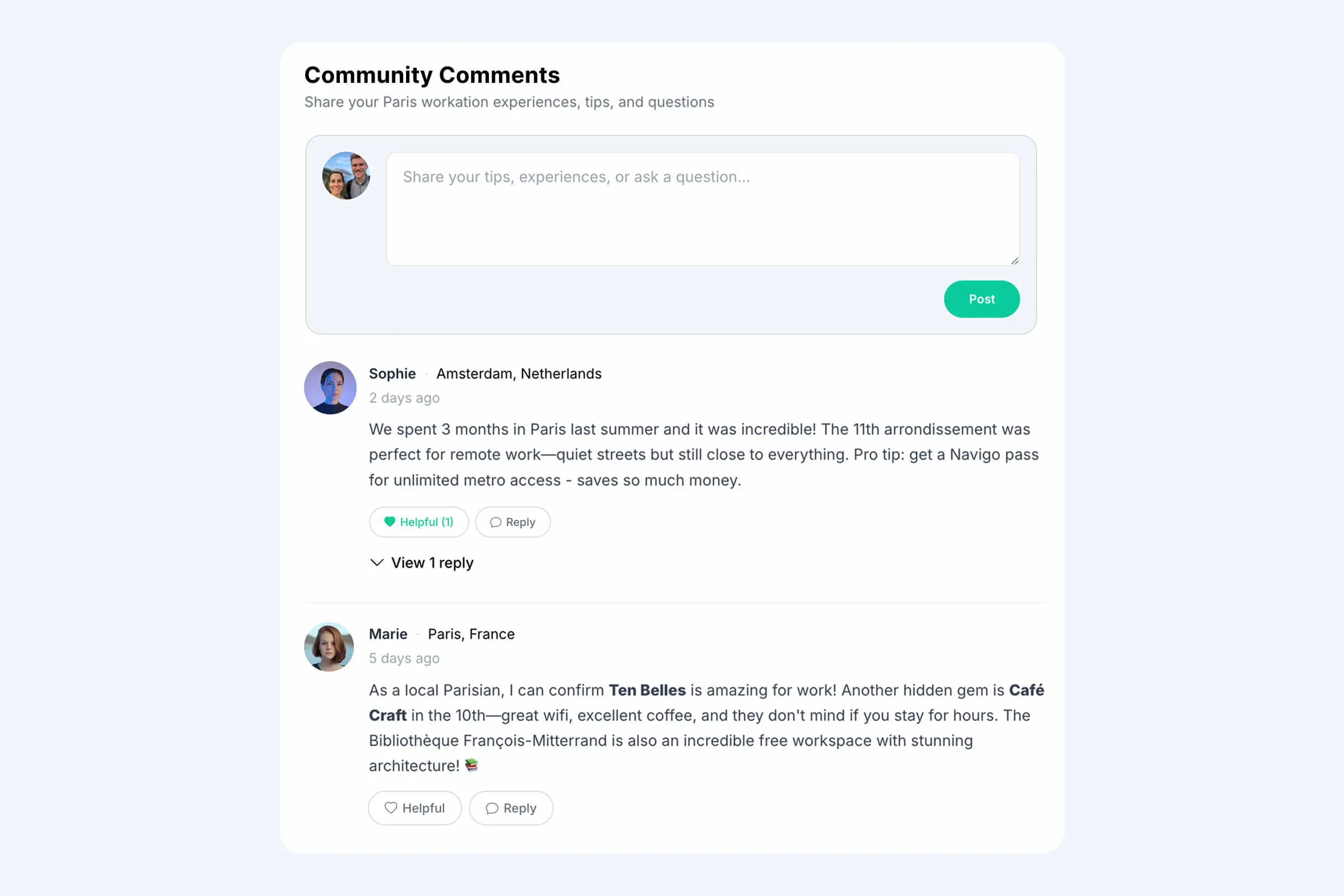
We've launched Community Comments, a new feature that allows logged-in Swaphouse members to share tips, experiences, and questions directly on blog articles and destination pages.
With Community Comments, members can recommend neighborhoods, cafés, or work-friendly spots, share what it was like to stay in a certain destination, ask other members questions before planning a swap, and add helpful context for future swappers.
Our goal is to make destination pages and blog content more useful, more interactive, and more community-driven.
From now on, Swaphouse members can contribute their own knowledge and help each other make more informed swap decisions.
Want more details? Read the full blog article about Community Comments.
February 27, 2026
⭐ Review Badges Are Here
Trust between members is what makes Swaphouse work.
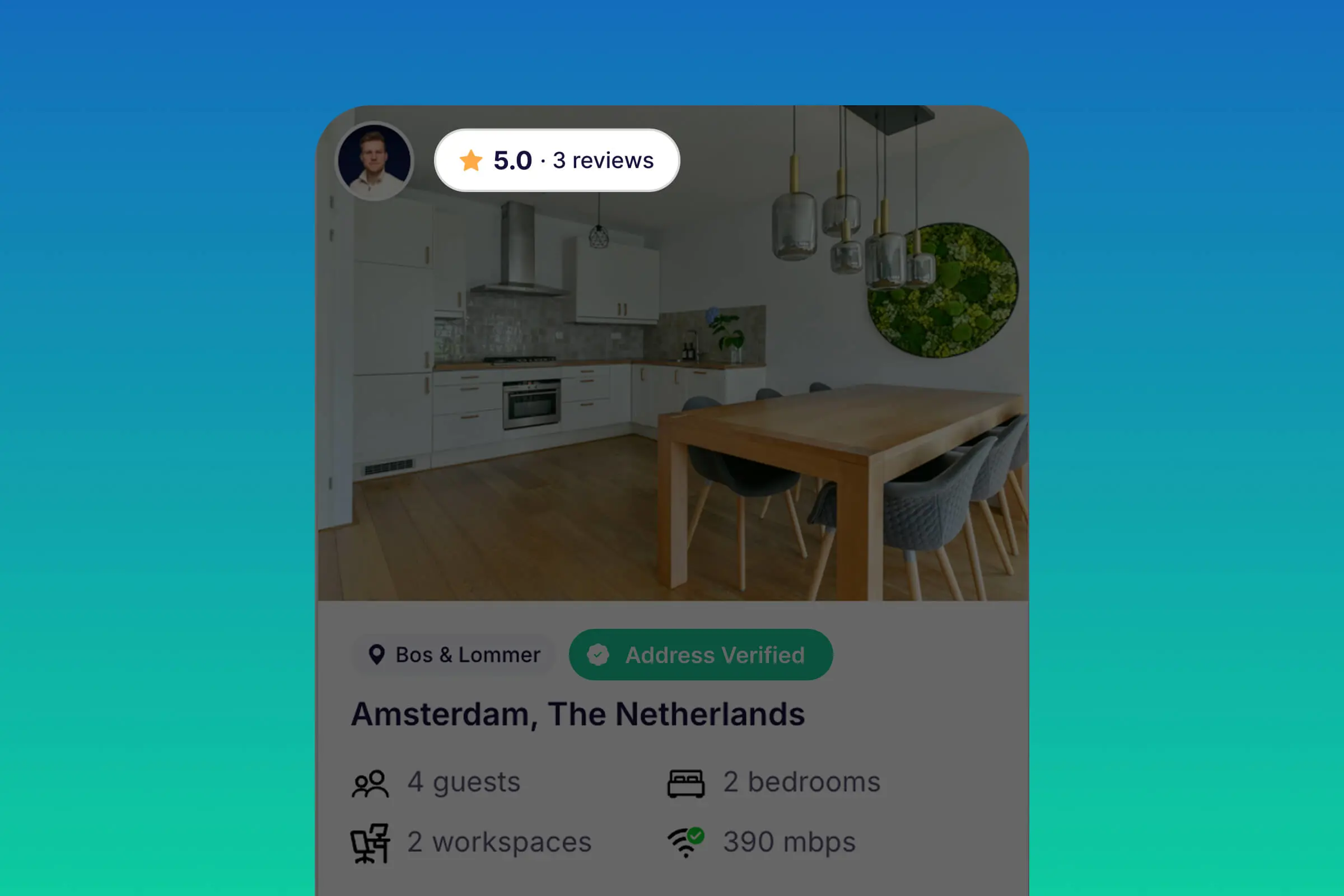
That's why we've introduced Review Badges. Once you've received one or more reviews after completing swaps, your average star rating will automatically appear on your home listing and profile.
It's a small addition with a meaningful impact: it helps trusted hosts and guests stand out and get more matches.
Completed a swap recently? Read here how to write (and receive) a review in our guide: How to Write a Review After Your Home Swap on Swaphouse.
February 14, 2026
Photo Enhancements
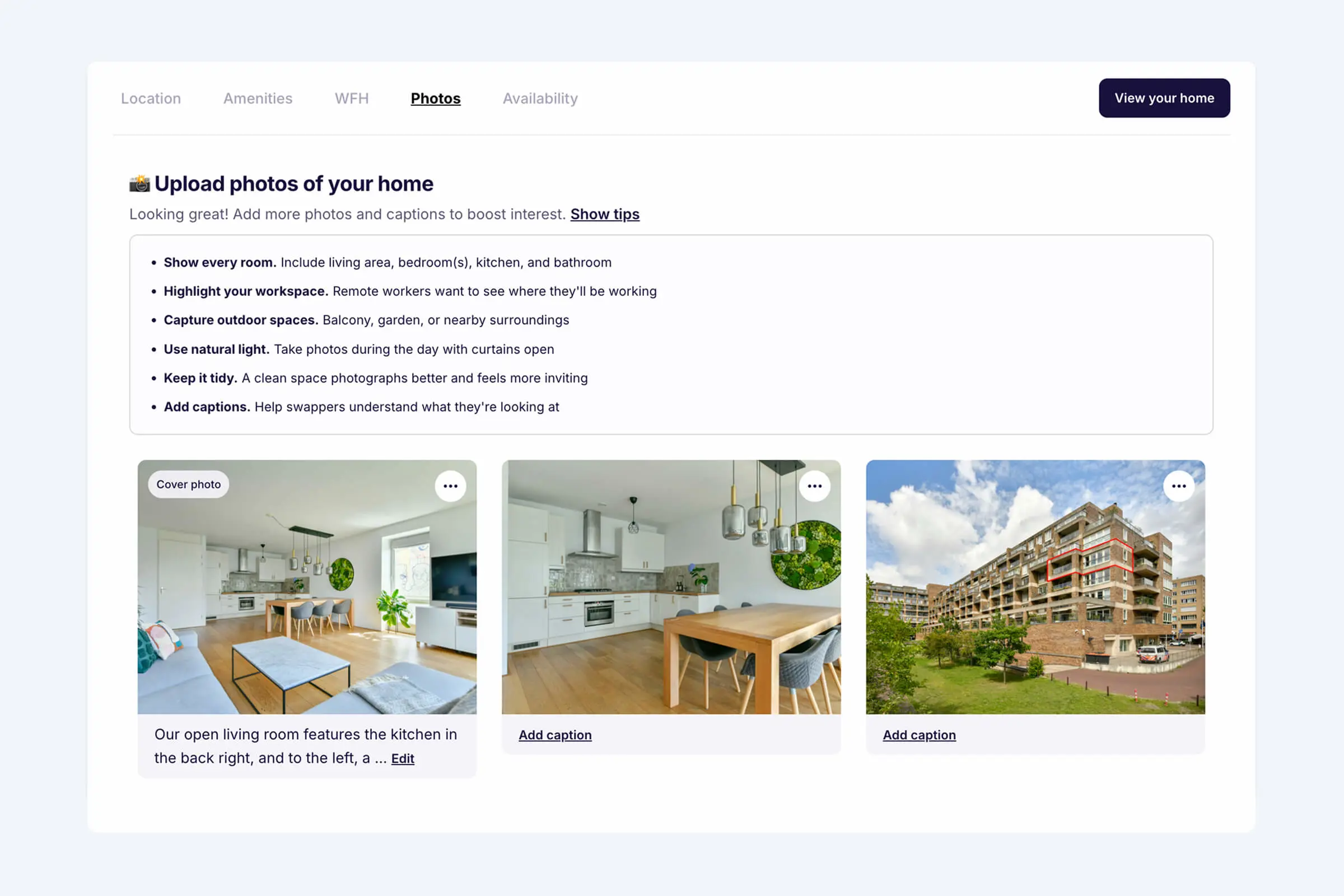
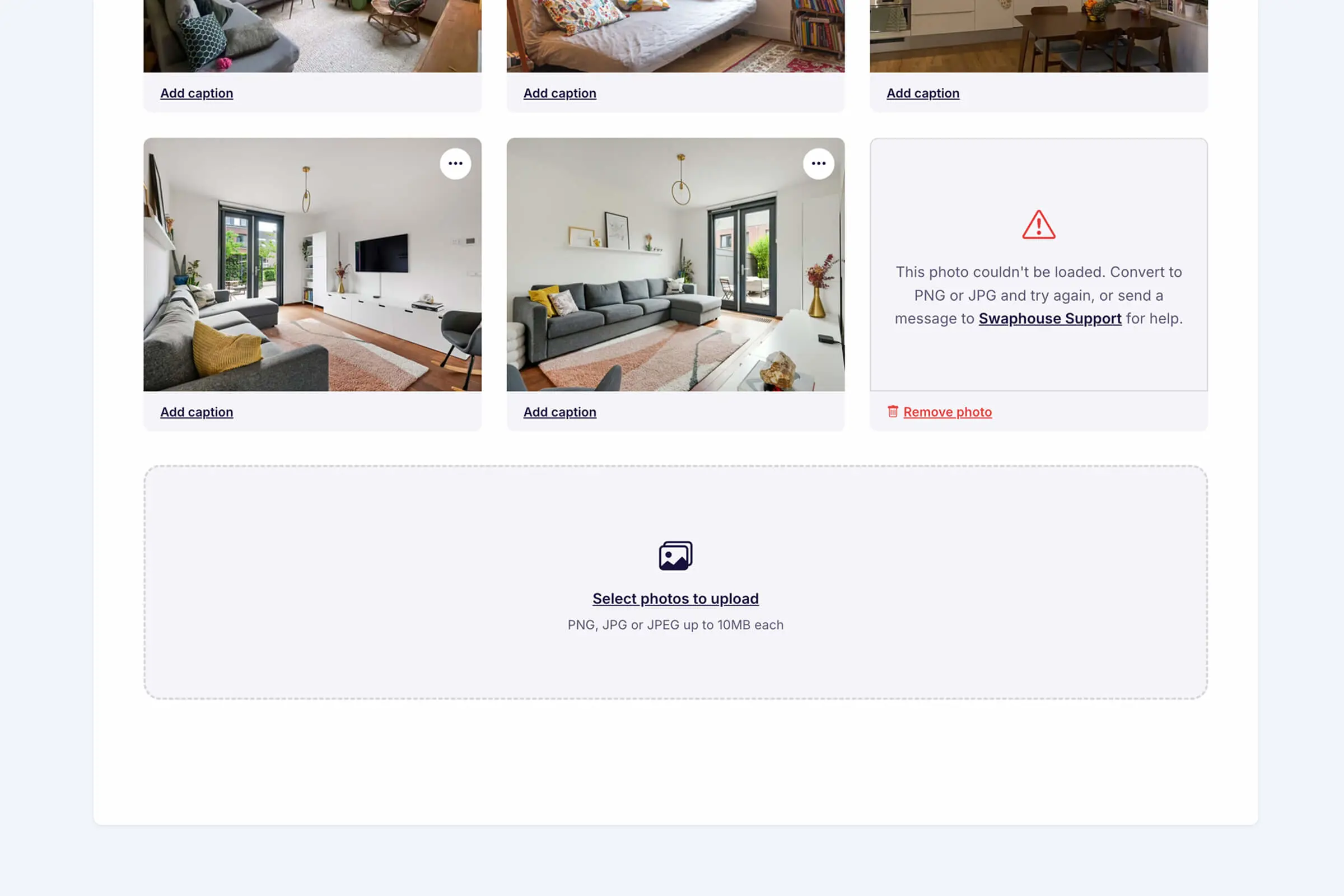
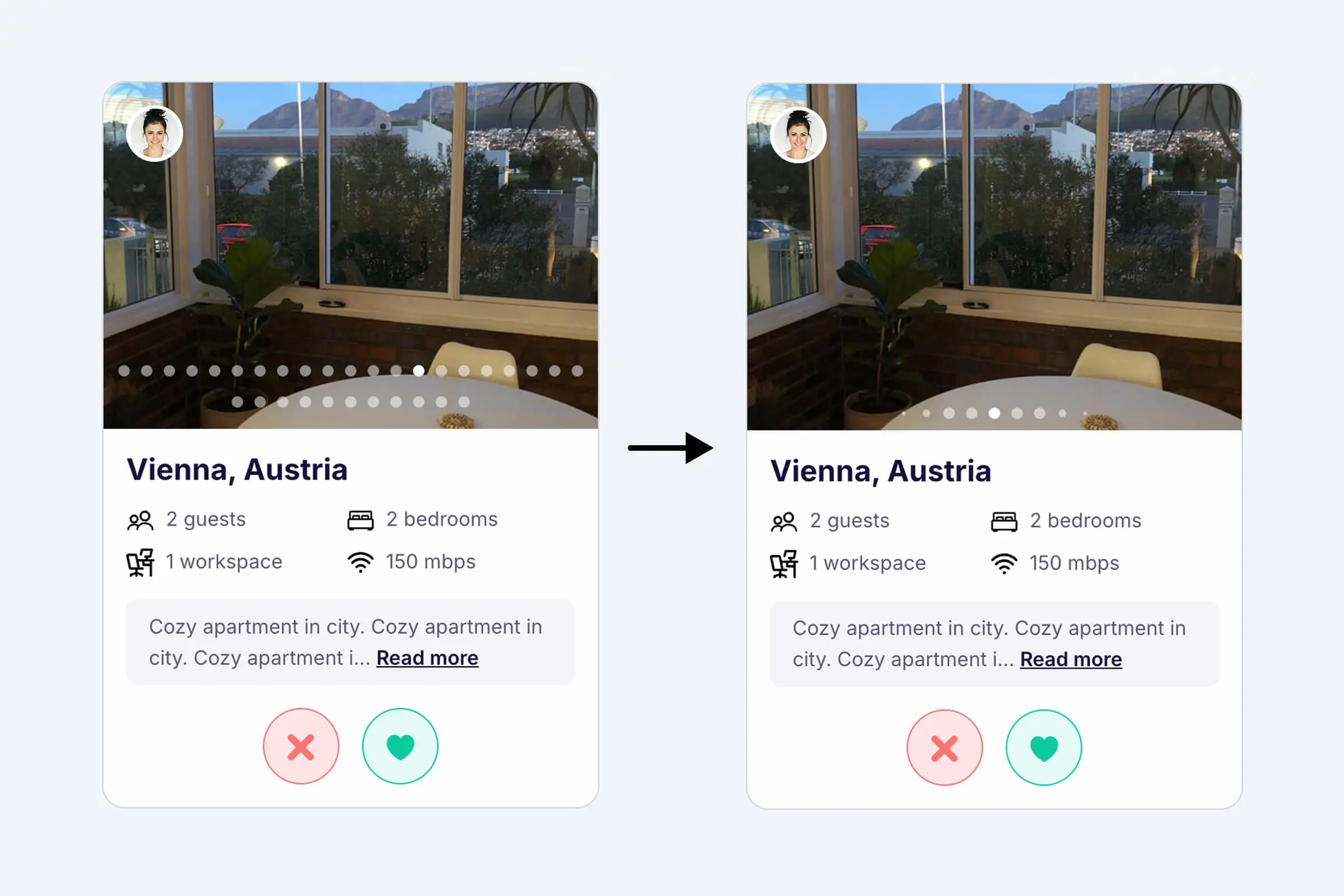
Photo tips to help you take better pictures
Great photos are one of the most important things you can do to make your home listing stand out. They're the first thing potential swappers see, and high-quality images can make all the difference in getting more matches. We've made a few enhancements to help you put your best home forward.
Photo tips: Not sure how to take the best shots? We've added handy tips directly in the Photos section of your Home Listing. Show every room, highlight your workspace, use natural light, capture outdoor spaces, and don't forget to add captions so swappers know exactly what they're looking at.
Refreshed upload UI: The photo upload experience has been improved with clearer instructions. And if something goes wrong, like uploading an unsupported file format, you'll now see a helpful error message with exactly what to do instead of being left guessing.
Smarter photo bullets: The more photos of your home the better, as it gives swappers a much richer impression of your space. However, listings with many photos used to show a long row of dots in the photo carousel on the Explore page. We now display bullets dynamically, so the carousel stays clean and easy to navigate no matter how many photos you add.
January 31, 2026
New Feature: Address Verification (Beta)
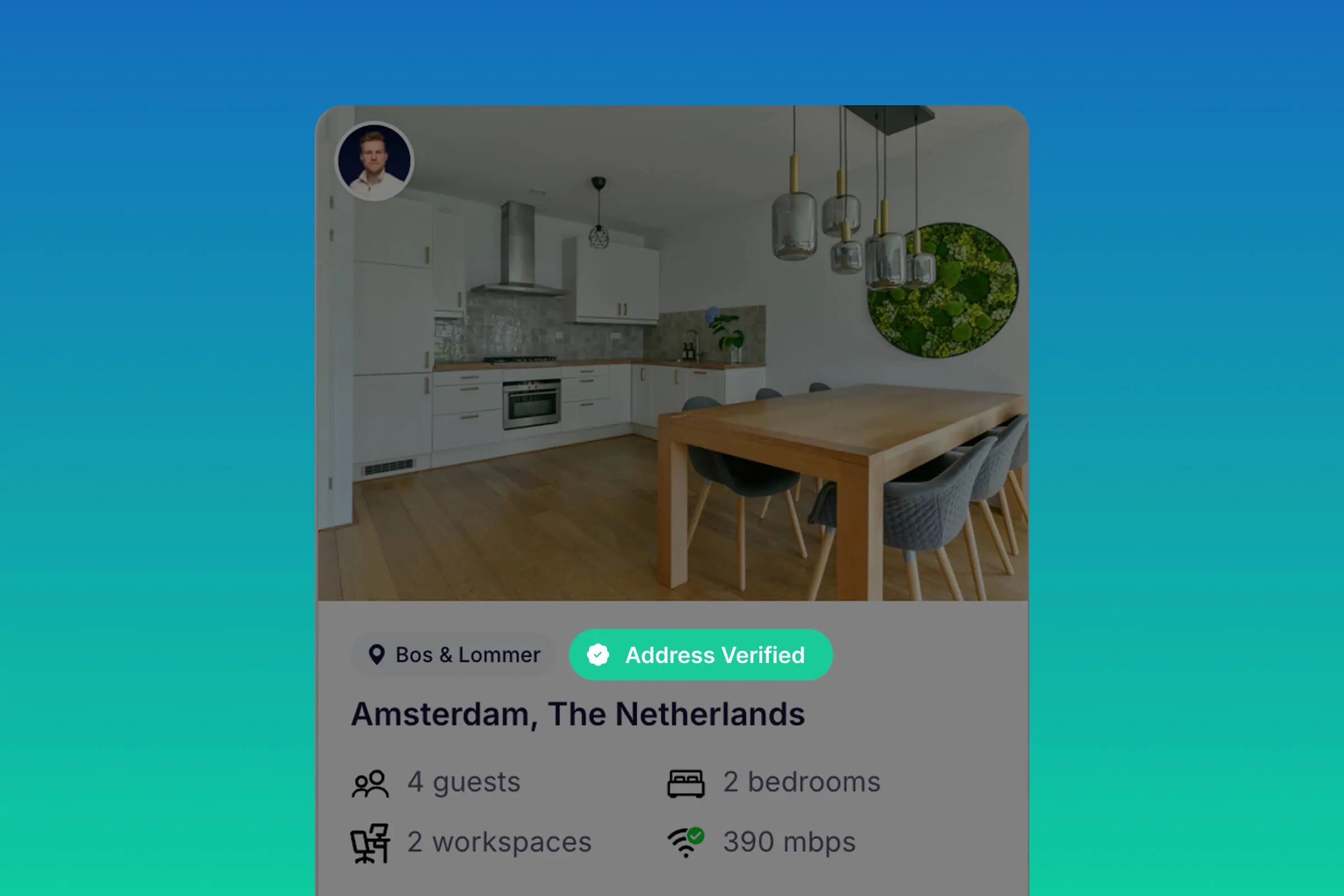
We've added Address Verification, a new optional beta feature to help build trust between swappers and improve the chances of successful swaps.
Members can now verify their address by receiving a physical letter with a unique code. Once verified, an Address Verified badge appears on the home listing.
Verified addresses stay private by default and can be optionally shared when planning a swap.
Good to know
- Address Verification confirms mail delivery at an address at the time of verification
- It does not verify ownership, legal residency, or listing accuracy
- Verification is valid for 1 year and can be renewed
Address Verification is currently available as a free beta. The first users already have access via Home Listing → Location.
Interested in trying it too? Reach out to Swaphouse Support to get access.
January 15, 2026
Chat Improvements
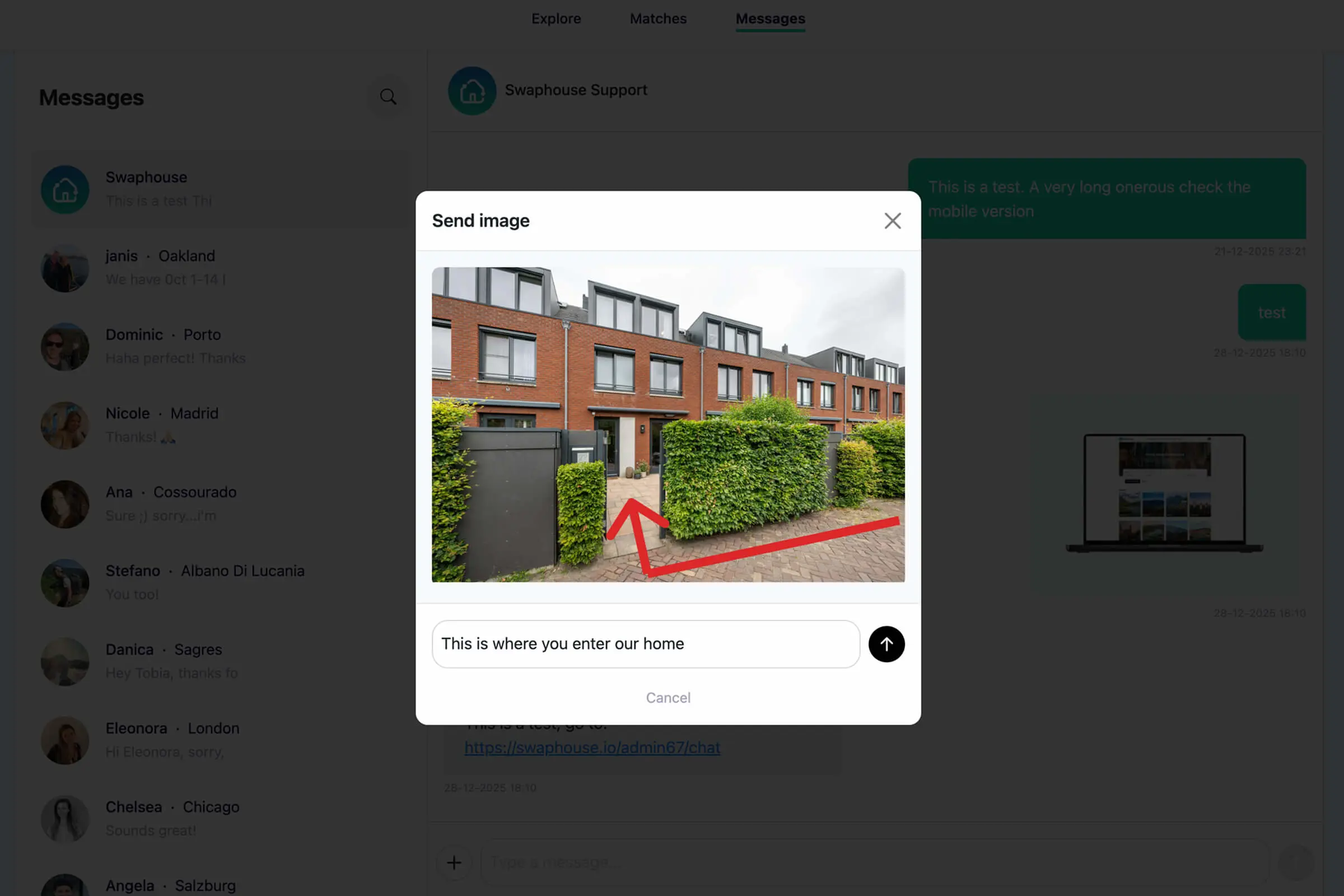
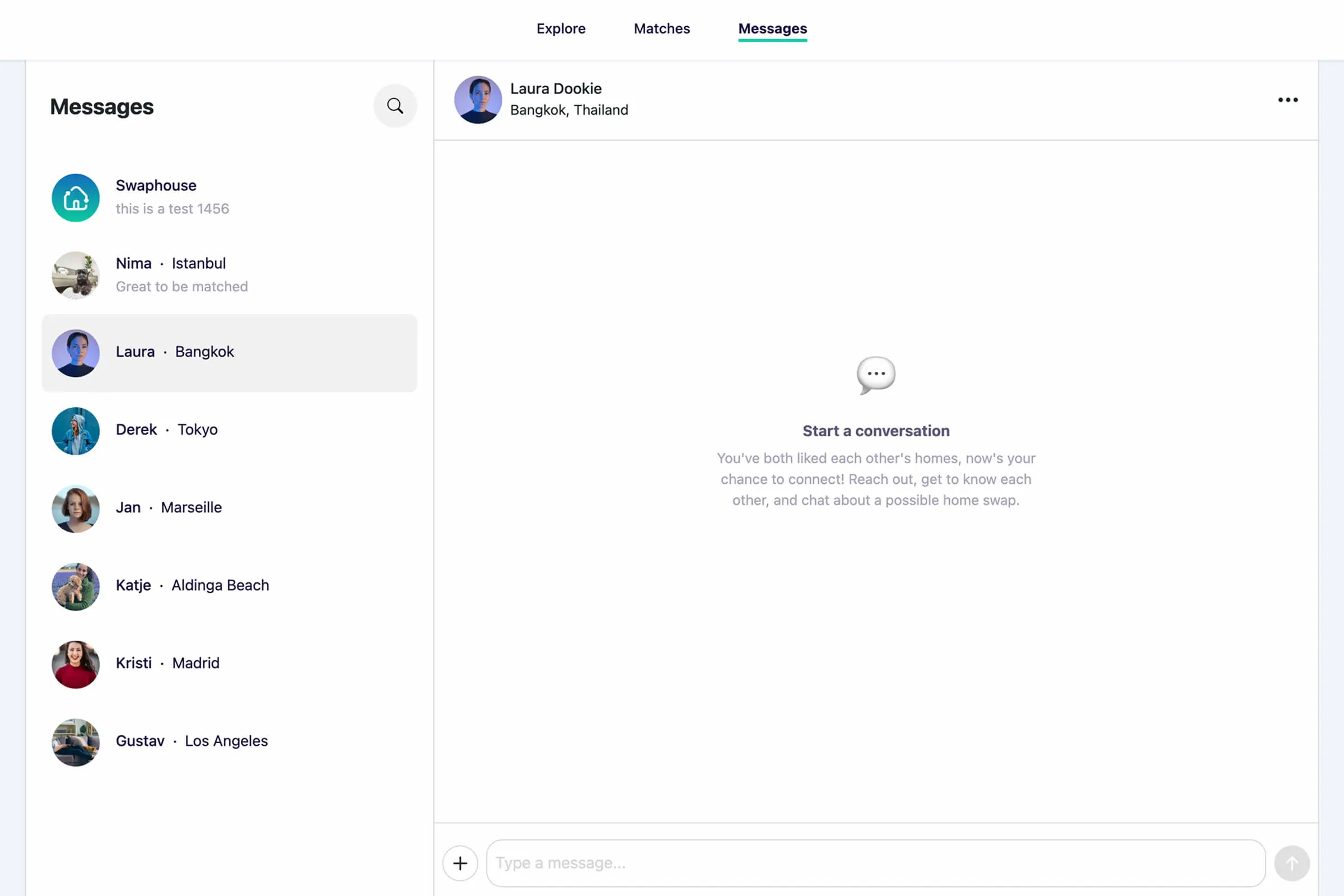
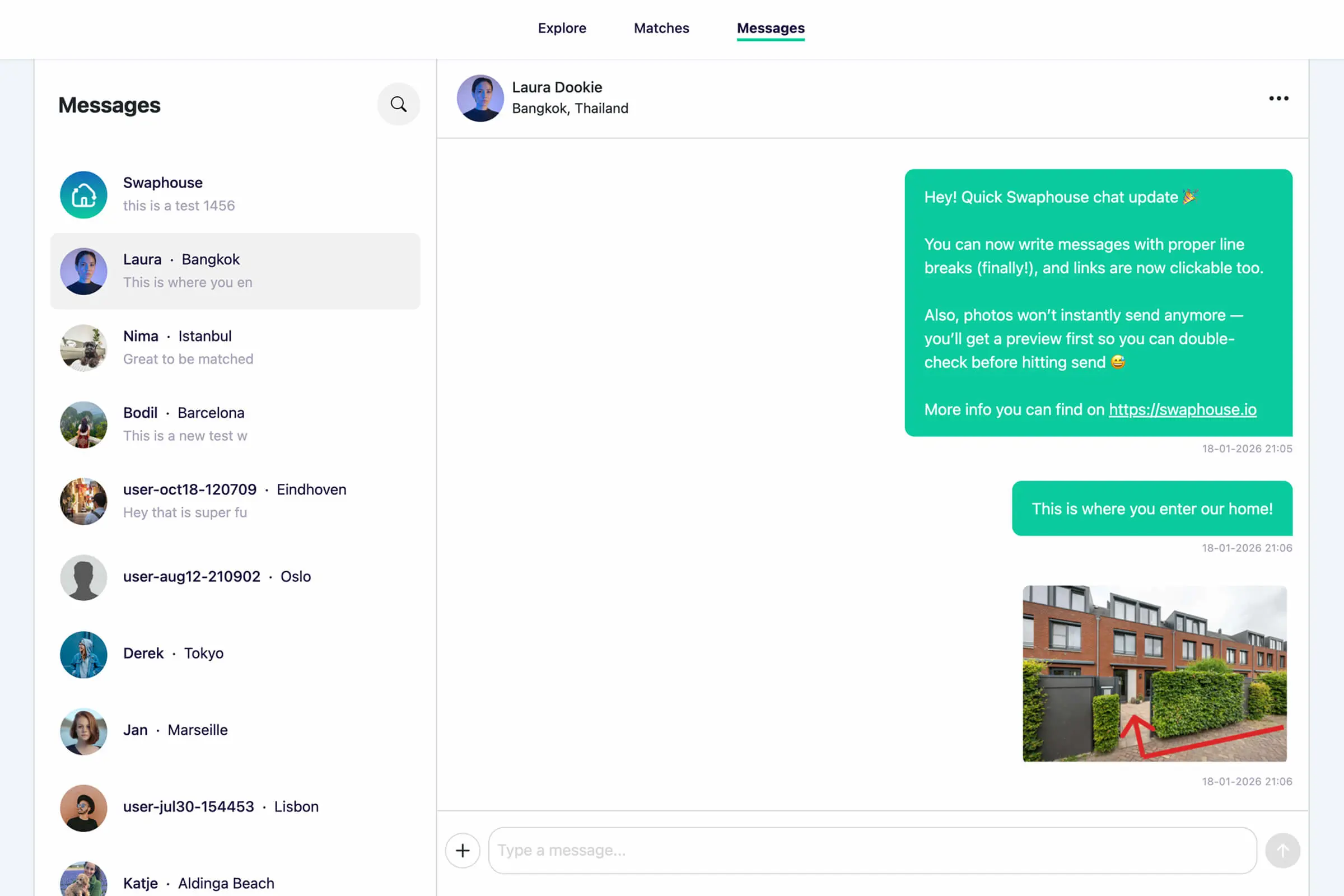
Image preview before sending
Last year, Swaphouse members sent over 13.000 messages, so we spent time improving the chat experience based on recent user feedback.
New features: Chats now feel smoother and clearer from the start, with better empty states when no messages have been exchanged yet. We also added an image preview step before sending, so you can double-check your photo (and optionally add a message) instead of accidentally sending the wrong one. Links in messages are now clickable, and line breaks are properly supported so you can write longer messages in readable paragraphs. On mobile, pressing Enter now creates a new line (instead of sending the message), which matches how most chat apps work.
Bug fixes: We also improved how images display in chat: tall photos now show correctly as thumbnails instead of being awkwardly cropped, and full-size viewing looks much better. Finally, we fixed a handful of mobile and layout issues, and chats now always auto-scroll to the latest message when you open them, even in conversations with lots of images.
January 2, 2026
Plan Non-Simultaneous Swaps
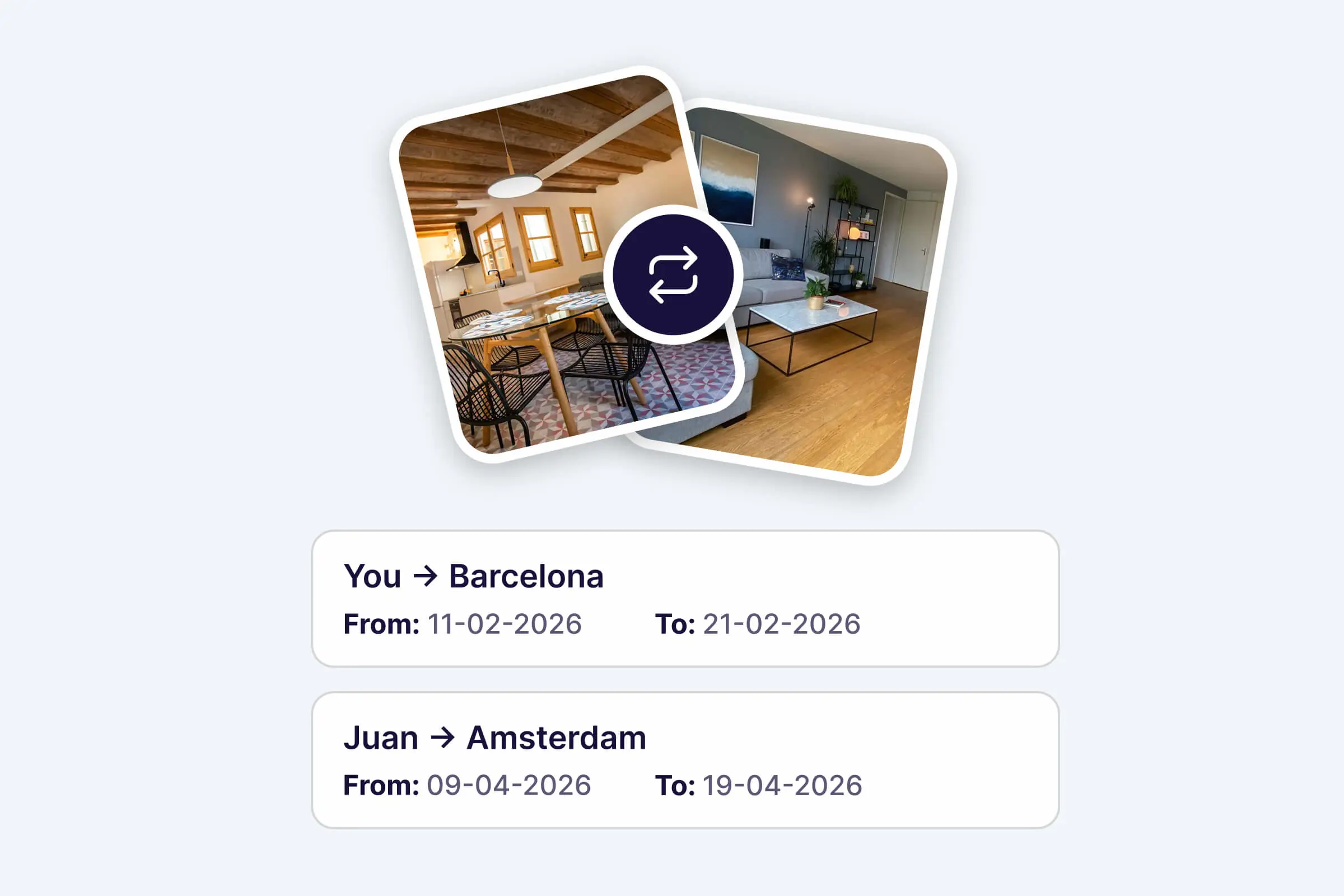
Happy New Year! 🎆 We're starting 2026 with a new feature that gives you more flexibility in planning your swaps.
Until now, home swaps had to happen at the same time: you stay at their place while they stay at yours. But schedules don't always match up perfectly.
With non-simultaneous swaps, you can now pick different dates for each side of the swap. For example: you could stay at their apartment in Barcelona in February, and they stay at your place in Amsterdam in April.
This gives you more flexibility to make swaps happen, whether you're coordinating a near-simultaneous swap with just a few days difference, or planning swaps in completely different time periods. More options, more possibilities, more adventures! 🎉