Manage Home Swaps Together with a Co-Host
Planning home swaps with someone else? Invite them as a co-host so you can manage one listing, explore homes, chat with matches, and arrange swaps together from your own accounts.
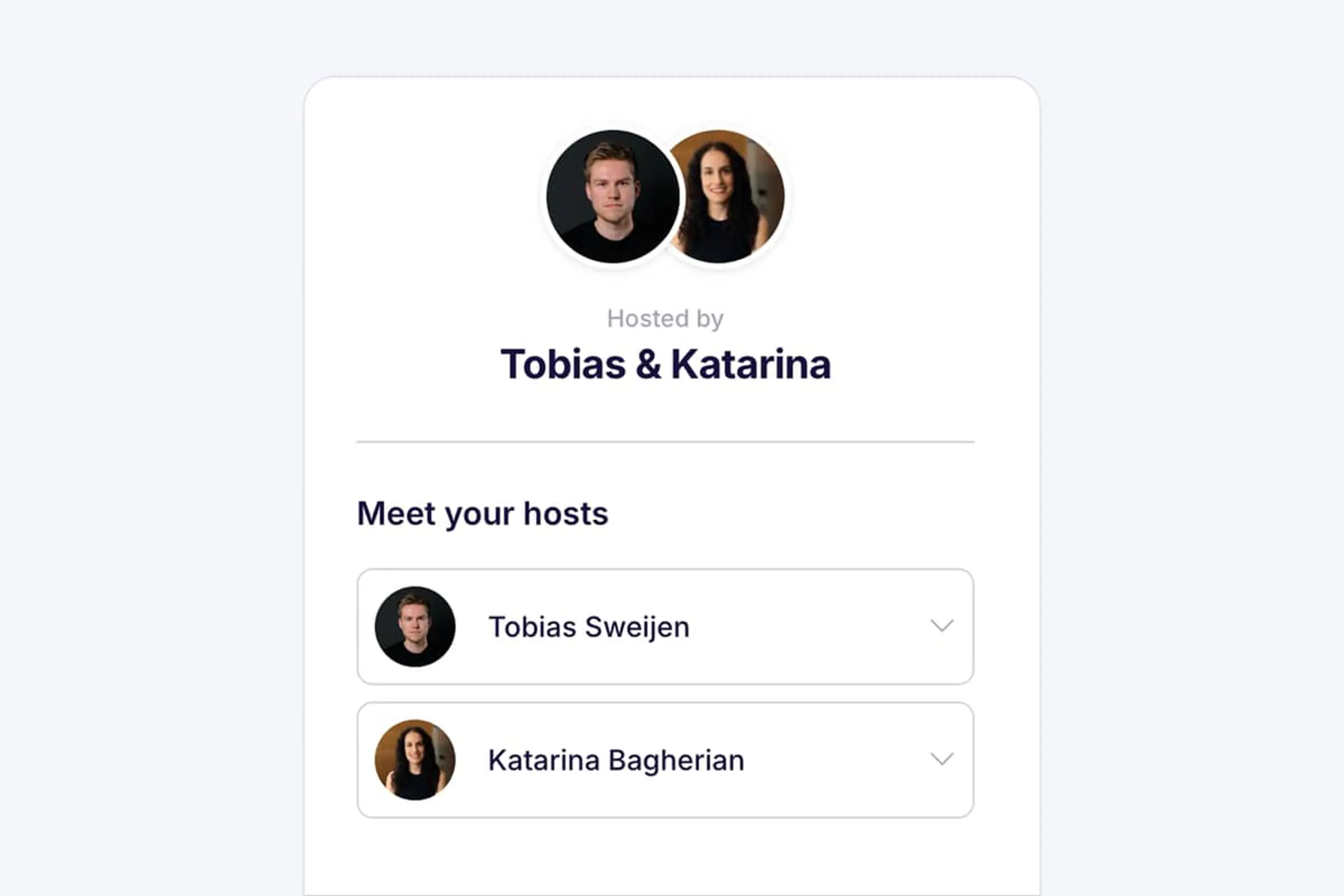

Home swapping is often a shared plan. You might search for homes together, compare dates over dinner, or take turns replying to messages. Until now, that could mean one person handled everything or two people shared a single login.
Swaphouse co-hosting gives you a simpler way to work together. The listing owner can invite an eligible travel companion as a co-host. You both get your own account, while managing the same home, matches, conversations, and swap plans.
What is a Swaphouse co-host?
A co-host is someone you travel and plan swaps with who has permission to help manage your Swaphouse activity. This could be your partner, parent, another family member, friend, colleague, or nanny.
Instead of sharing your password, the co-host accepts an email invitation and creates their own account with their own LinkedIn profile. Swaphouse then connects both accounts to the same home listing automatically.
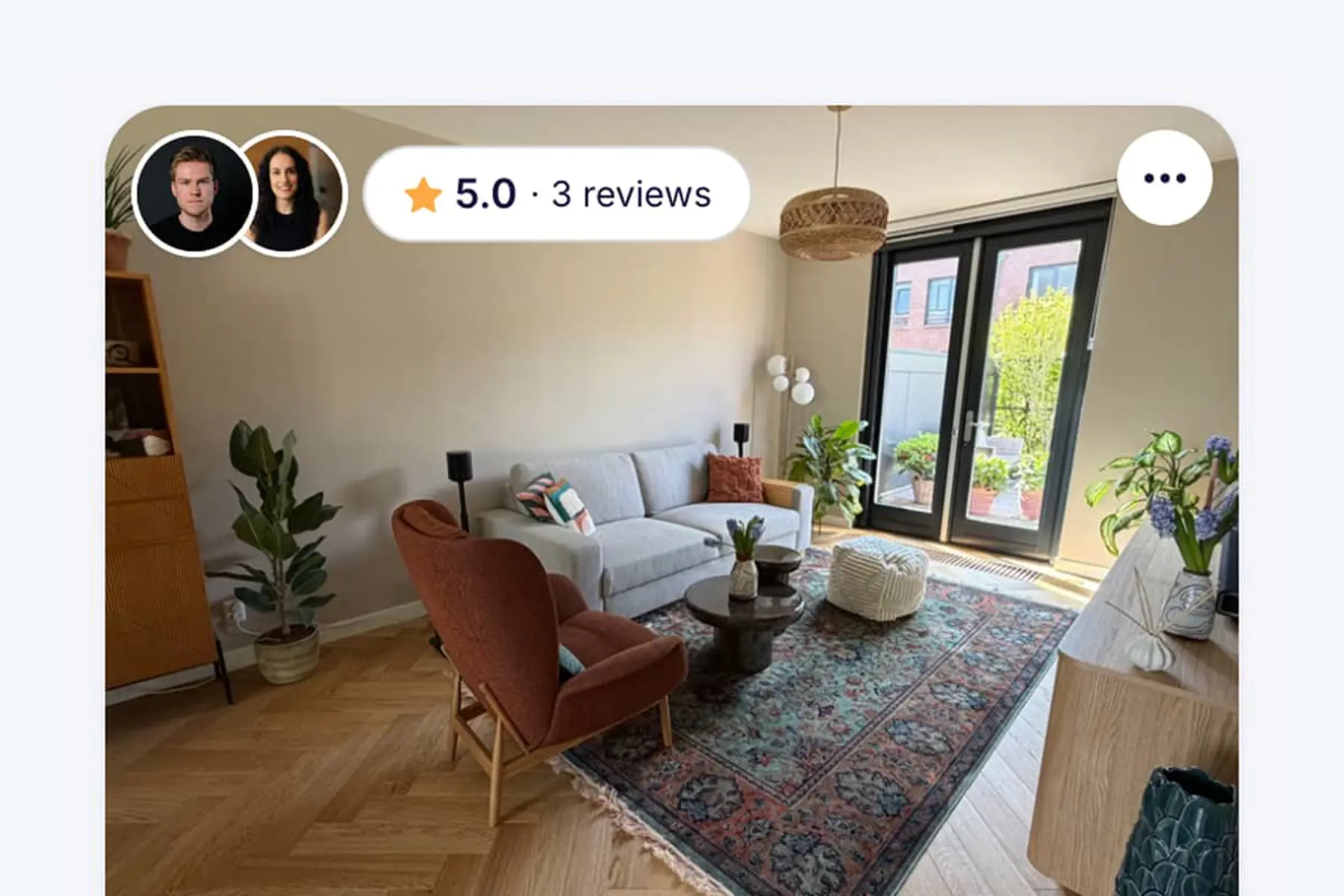
Your listing will show both hosts, and shared chats make it clear that you are planning together. Each person can take part when it suits them, while the original host remains the listing owner.
Why add a co-host?
- No shared login: each person signs in through their own account.
- Faster replies: either host can respond when a match sends a message.
- Shared planning: both people can explore homes and help move a swap forward.
- One current listing: details, photos, and availability stay in one place.
- Clear ownership: the original host remains in control of the listing.
What can a co-host do?
Once the invitation has been accepted, both people can take part in the everyday work of finding and arranging a home swap.
- Edit the home, photos, and availability so the information other members see stays current.
- Explore homes and like or pass while looking for the right destination.
- Reply to shared chats with matches from their own account.
- Request and accept swap requests when plans are ready to move forward.
The listing owner stays in control
The person who originally listed the home remains its owner. A co-host cannot remove the listing's main owner or invite another co-host. Only the listing owner can remove the active co-host.
Who is eligible to become a co-host?
Co-hosting is designed for another adult who genuinely helps manage the home and swap plans. Before an invitation can be sent, both the listing and the invited person need to meet a few requirements.
Your listing must be ready
- The home listing must be submitted and approved.
- Its visibility must be set to Public, rather than Private or Members-only.
- The invitation must come from the listing owner, not an existing co-host.
- There can only be one active or pending co-host per listing.
The person must be an eligible travel companion
First add the person under Who travels with you? in your Profile. Partners, parents, family members, friends, colleagues, and nannies can be invited. Children and pets cannot become co-hosts, and the option is not available when your profile is set to travelling solo.
They must be able to create the linked account
The email address cannot already belong to a Swaphouse account or an active listing. The person also cannot already be co-hosting another listing or have a co-host invitation pending from someone else. If one of these applies, Swaphouse will explain what needs to be removed or resolved before you can send the invitation.
How to invite a co-host
You can send an invitation while adding a new travel companion or return to someone already listed on your Profile.
- Sign in and open your Profile.
- Scroll to Who travels with you?
- Add the person as a travel companion, or select Invite as co-host below an existing eligible companion.
- Choose Yes when asked whether you want to invite them as a co-host.
- Enter their email address and select Send invite.
- Ask them to open the invitation email, accept it, and sign up with their own LinkedIn account.
While you wait, their companion card will show Invite pending. Once signup is complete, Swaphouse connects their account to your listing and marks them as your co-host.
After your co-host joins
Once your co-host has accepted the invitation, their account becomes part of your shared home and swap experience. Both of you are clearly shown across Swaphouse, so other members immediately know that the home is co-managed.
- They can complete their own profile. Your co-host can introduce themselves, add information about where they work, and share links to their own social profiles if they want other members to know more about them. Completing this is highly recommended because it helps both hosts feel familiar and trustworthy.
- Both profiles appear on the shared home listing. Other members can learn about each of you in the Meet your hosts section.
- Both profile pictures appear throughout Swaphouse. The shared host photos are shown with the home on Explore and Matches, as well as when a swap is requested or accepted. This makes it immediately clear that two people manage the home together.
- Your match chats become group conversations. The co-host is included in chats with your matches, so either host can reply and send messages. The member on the other side can see that both hosts are in the chat, and every message clearly shows who sent it.
Frequently asked questions
Do I need a co-host to use Swaphouse?
No. If you travel with other people, you can add them as travel companions so other home swappers can see who will be joining you, while still managing your listing and swaps entirely by yourself. Inviting an eligible travel companion as a co-host is an optional extra for those who want to manage everything together. You can also use Swaphouse when travelling alone; read our guide to home swapping as a solo traveler.
Can I add more than one co-host?
No. Each listing can have one active or pending co-host at a time. Cancel the pending invitation or remove the current co-host before inviting someone else.
Do we share an account or password?
No. Your co-host accepts the invitation using their own LinkedIn account and gets a separate Swaphouse login. Both accounts are then connected to the same listing.
Who owns the listing?
The original host remains the listing owner. The co-host can help manage the listing and swaps, but cannot remove the listing's main owner.
What happens if a co-host is removed?
They lose access to the shared listing, matches, and messages. The listing stays active with the original owner.

How to list your home on Swaphouse
Still getting your home ready? Follow the complete walkthrough from sign-up to an approved listing that is ready for matches and a co-host.
About Swaphouse
Imagine exploring the world without paying for pricey hotels or short-term rentals. At Swaphouse, we believe home swapping should feel more personal, more flexible, and more community-driven. Join Swaphouse and discover a smarter way to travel and work remotely.



Community Comments
Join the Conversation
Sign in to share your tips and experiences with the community