How to List Your Home on Swaphouse
Ready to list your home and start home swapping? A strong listing helps your home shine and increases your chances of finding great matches. In this guide we'll walk you through the full onboarding flow step by step with screenshots.

In this guide:
- Step 1: Sign up with LinkedIn
- Step 2: Confirm profile details
- Step 3: Verify your email
- Step 4: Accept Terms & Conditions
Step 1: Sign up with LinkedIn
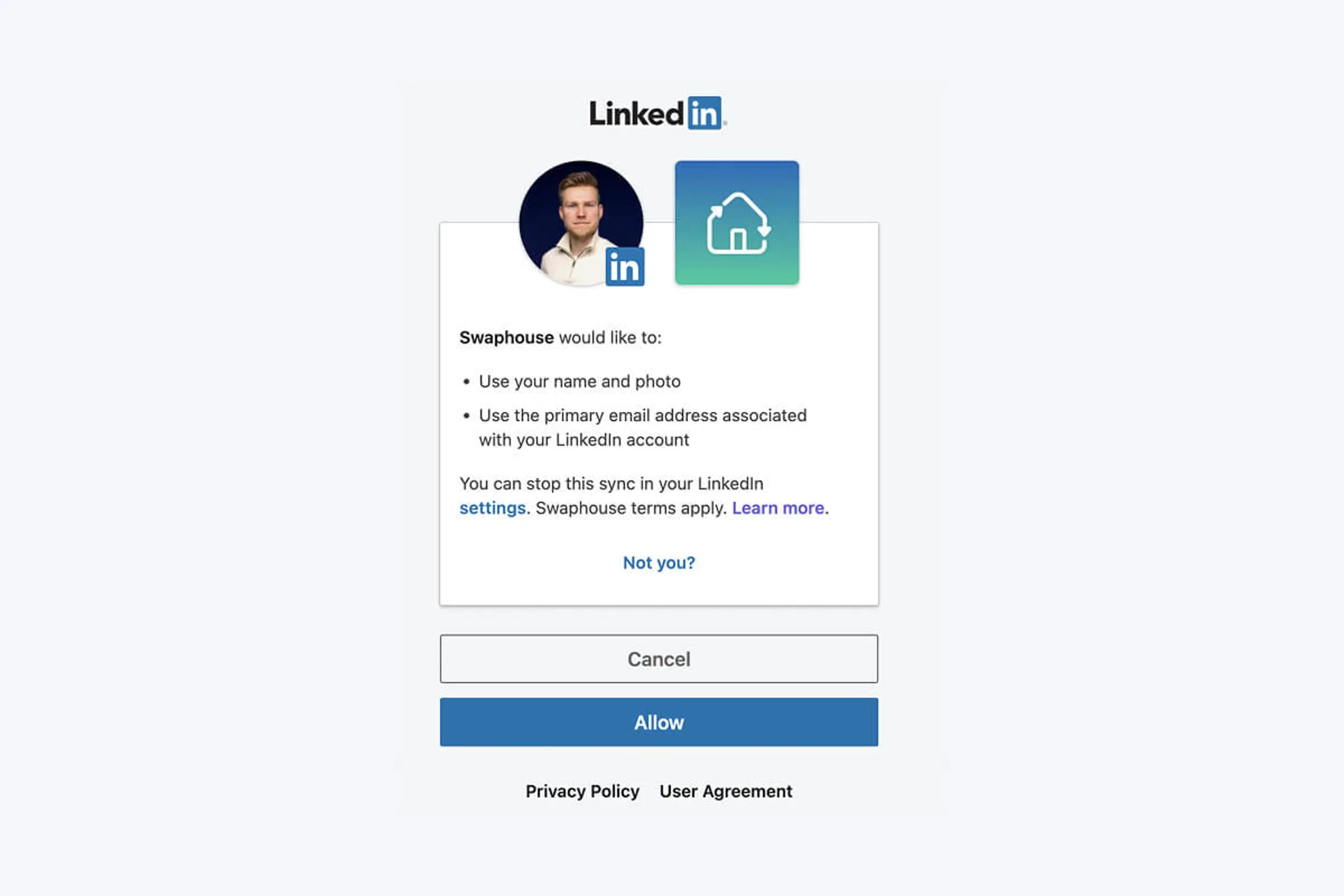
Swaphouse uses LinkedIn for sign-up because it helps build trust. Your info is pre-filled to save you time, and we only ask for what's necessary: your name, email, and profile picture.
Want the full scoop? Read why Swaphouse uses LinkedIn for sign-ups.
Step 2: Confirm Your Basic Profile Details
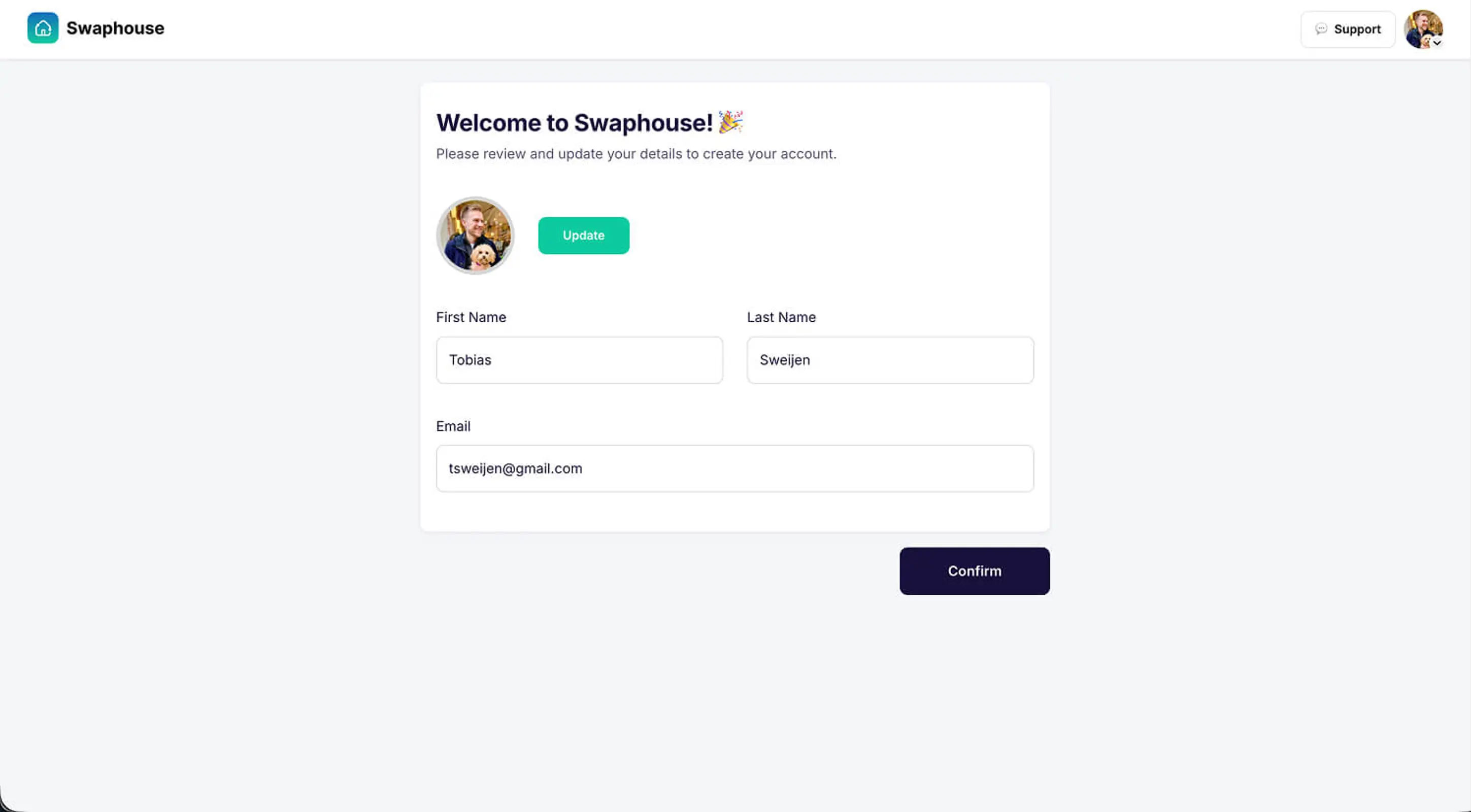
Your name, email, and profile picture are imported automatically from LinkedIn. You can adjust any of these details if needed. Good profile info helps build trust with potential swappers. The more complete your profile, the more confident others feel about swapping with you.
Step 3: Verify Your Email Address (Don't miss important notifications)
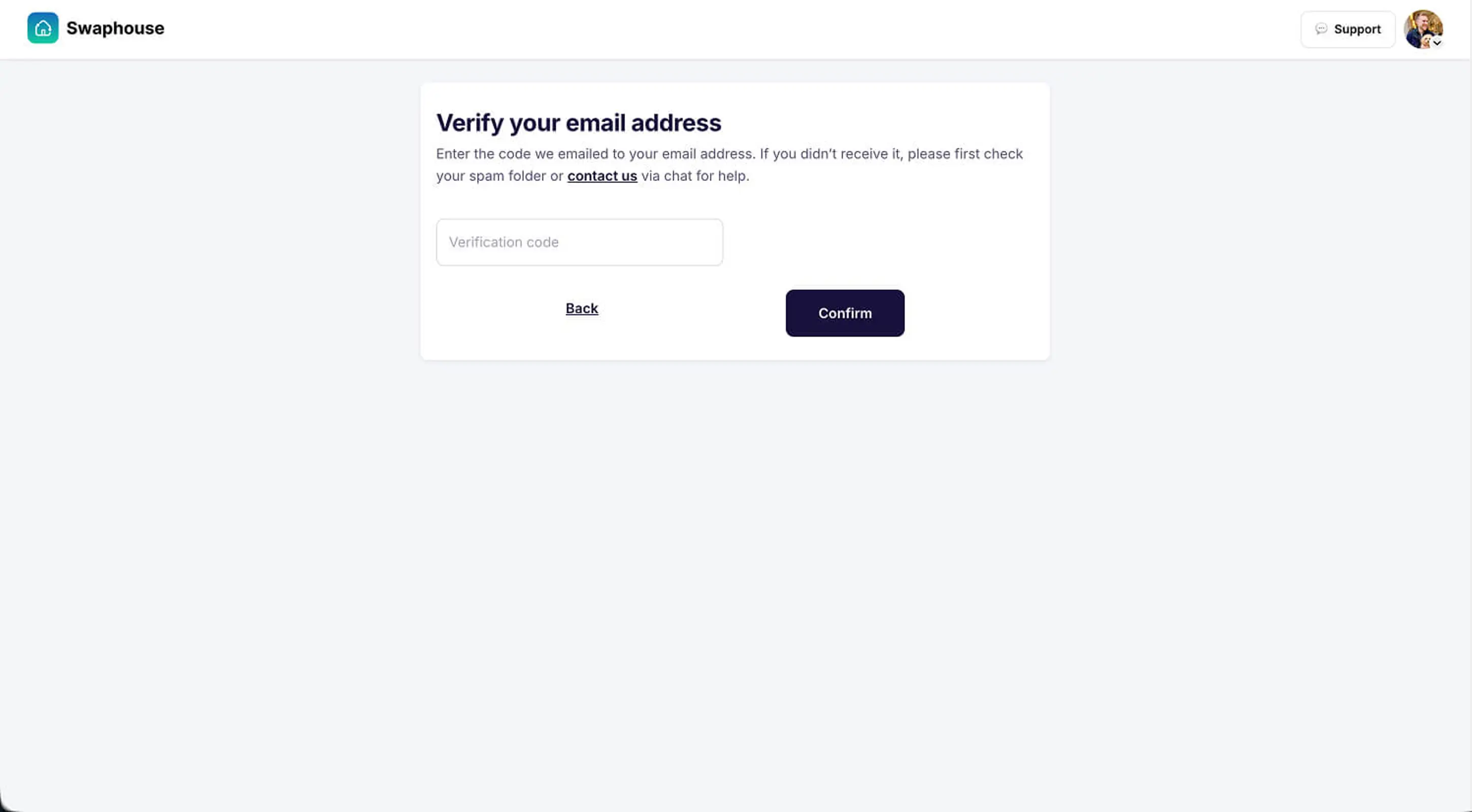
Verifying your email matters. We use it to send you important updates, including:
- Match notifications when someone likes your home
- New chat messages
- Important account updates
Verify immediately so you don't miss any opportunities.
Step 4: Accept the Terms & Conditions
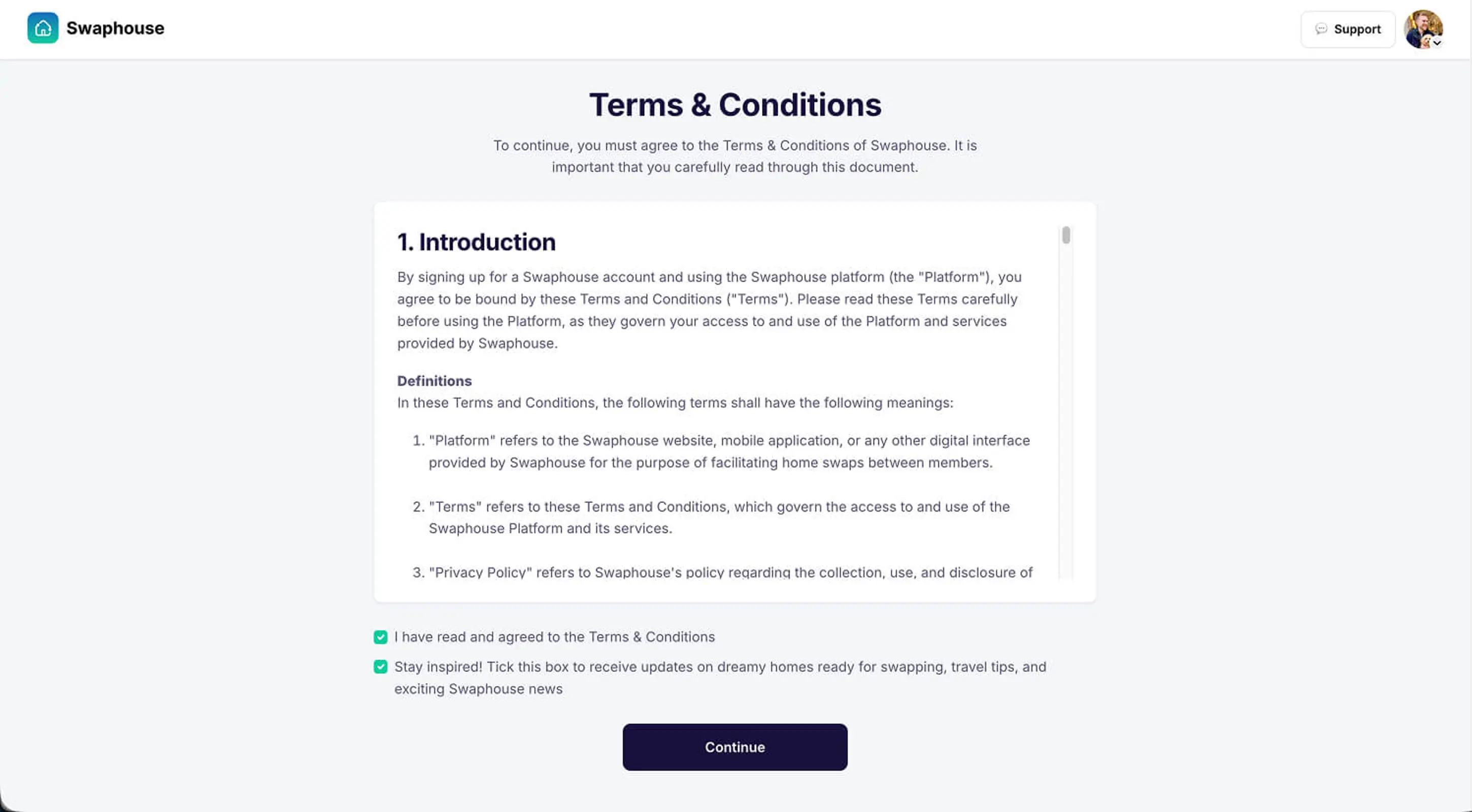
Before you can list your home, you'll need to accept our Terms & Conditions. These help keep home swapping safe and fair for everyone. Take a moment to read through them. You can find the full document here.
Step 5: Create Your Home Listing
Now the fun part begins — this is where your home starts to come alive on Swaphouse. A complete listing not only looks better, it also gets shown more often and receives more likes.
Step 5.1: Location
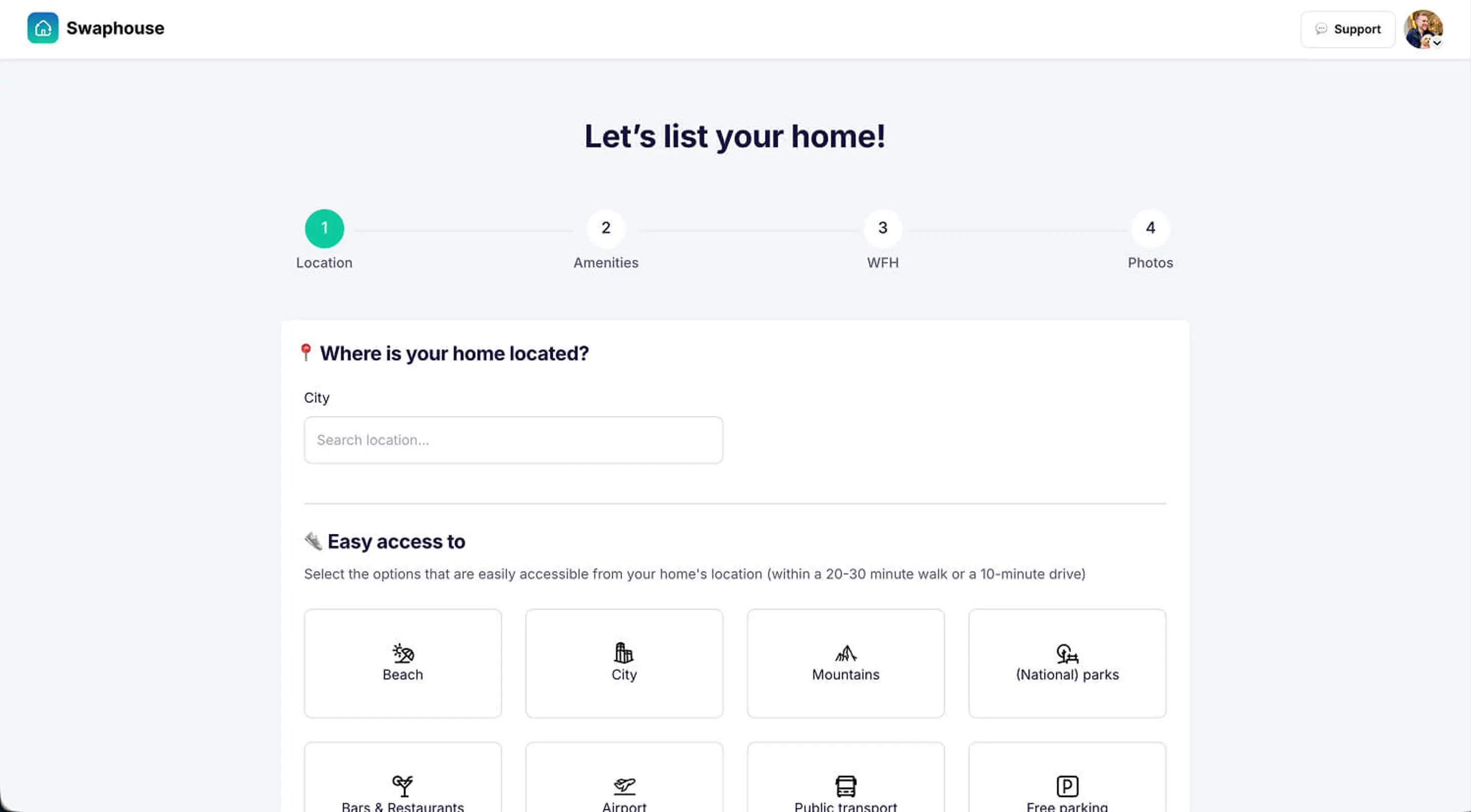
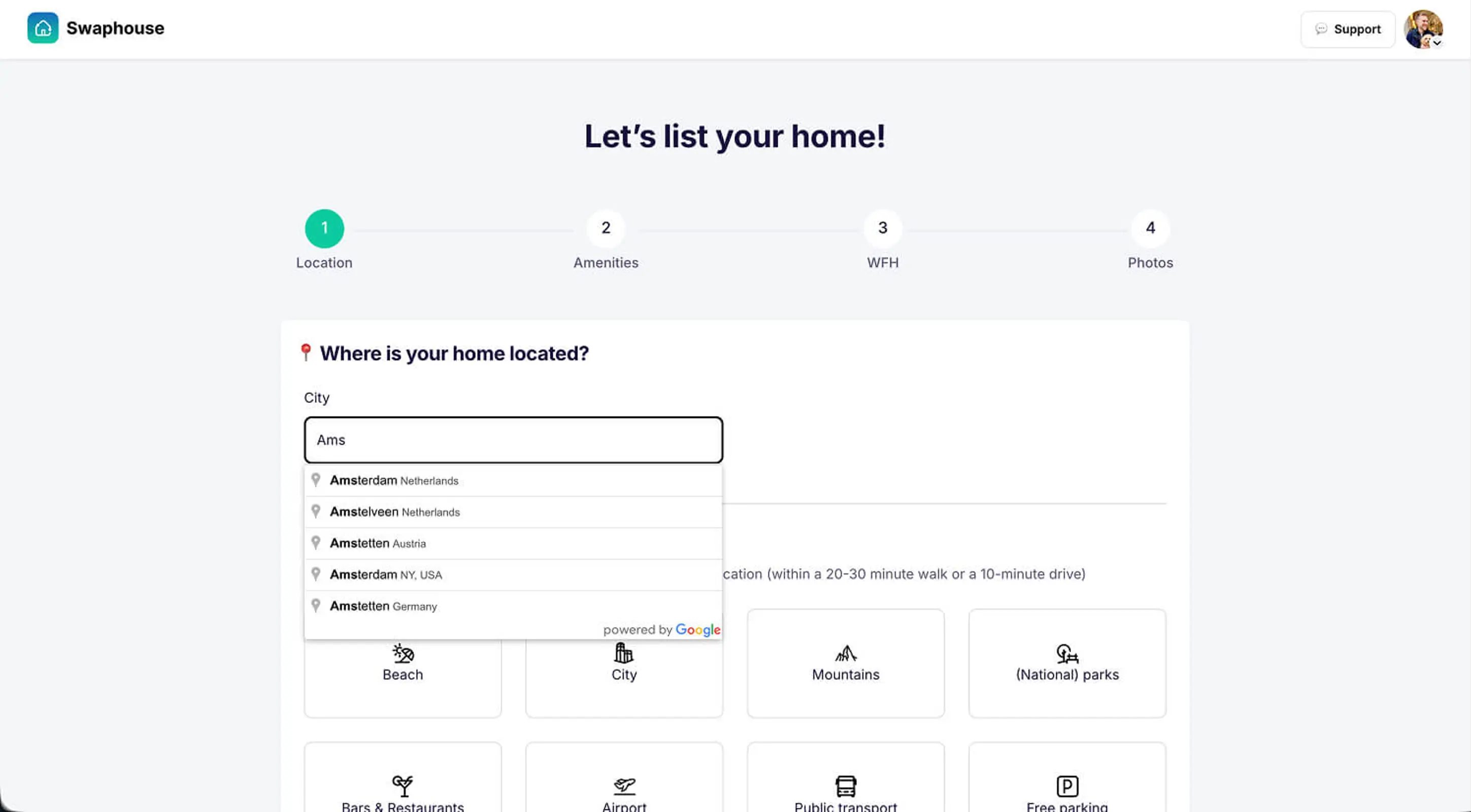
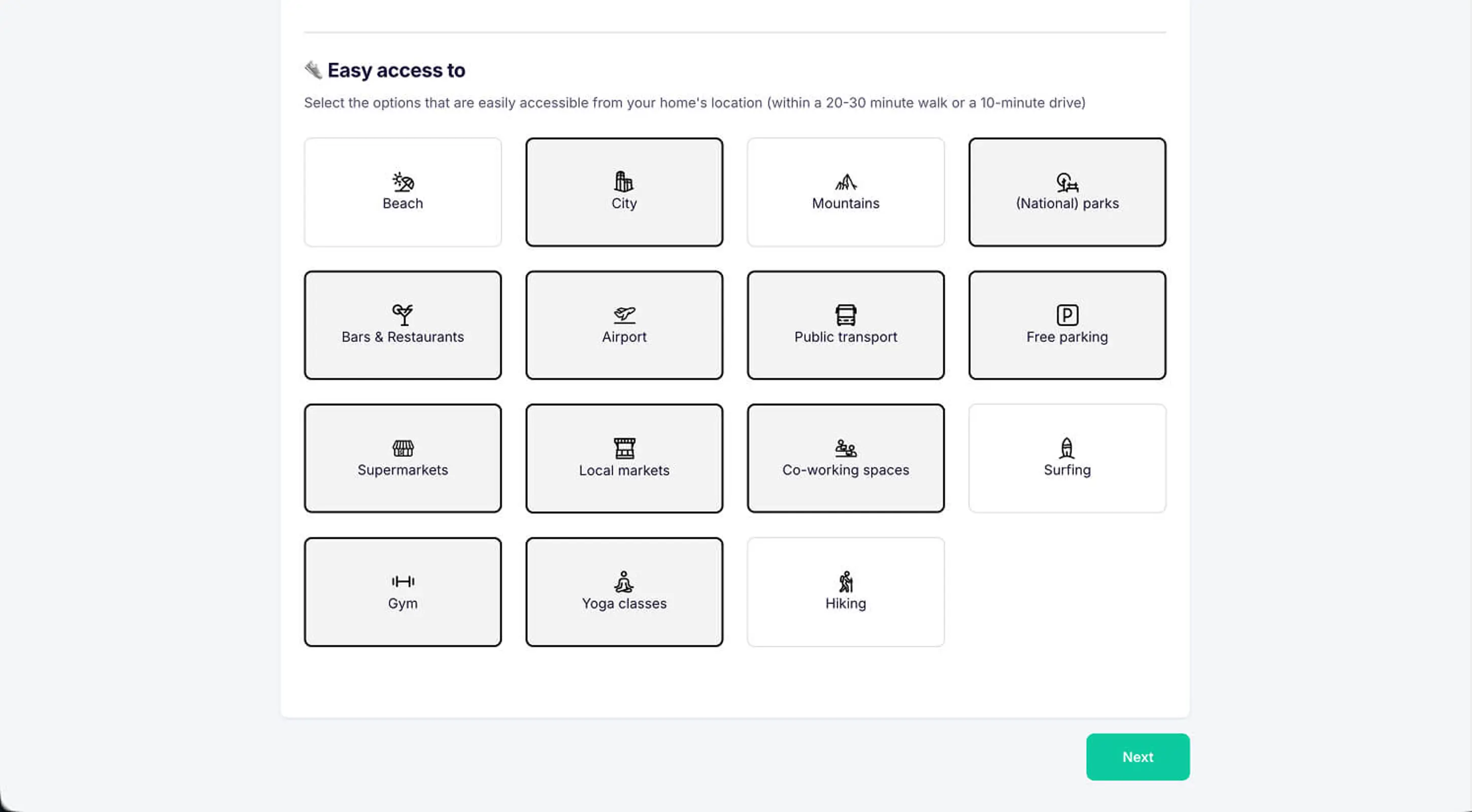
Enter your city or town
We only need your city or town and country. Use the smart Google-powered search to find your location quickly. Then select the "easy access" options that apply: nearby public transport, airports, beach, city center, mountains, parks, bars & restaurants, or free parking. These help swappers understand what's within a 20–30 minute walk or 10-minute drive of your home.
Step 5.2: Amenities & Home Details
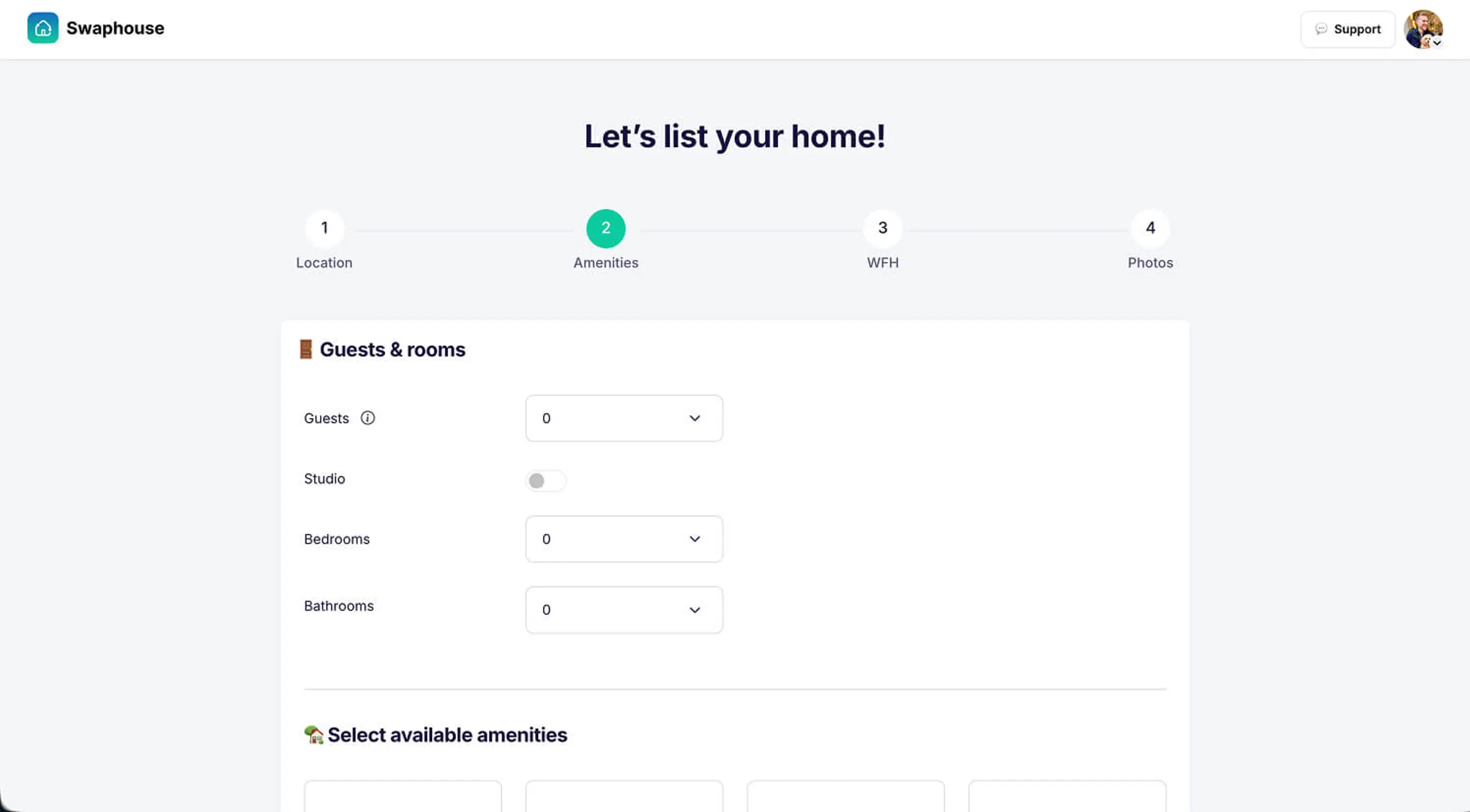
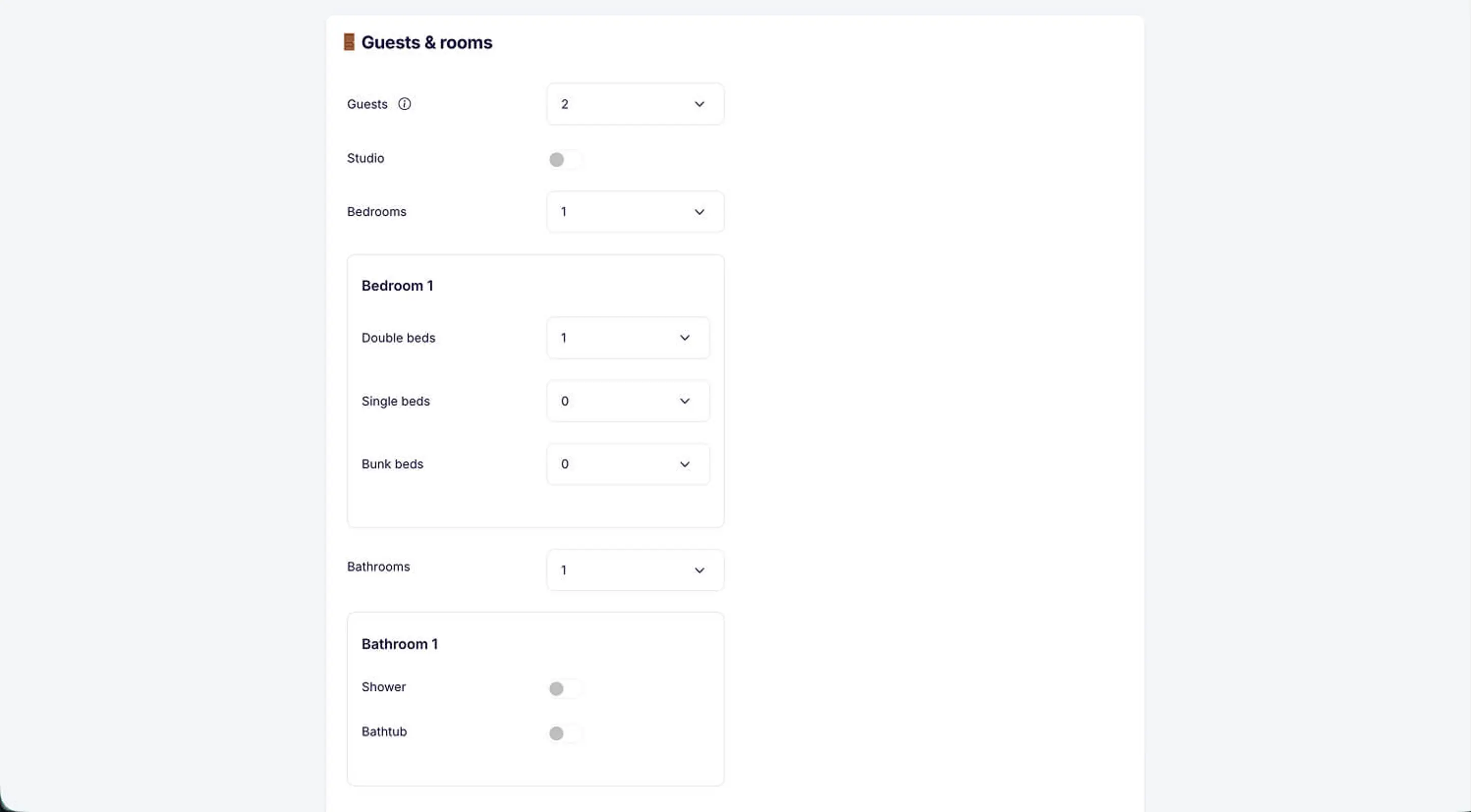
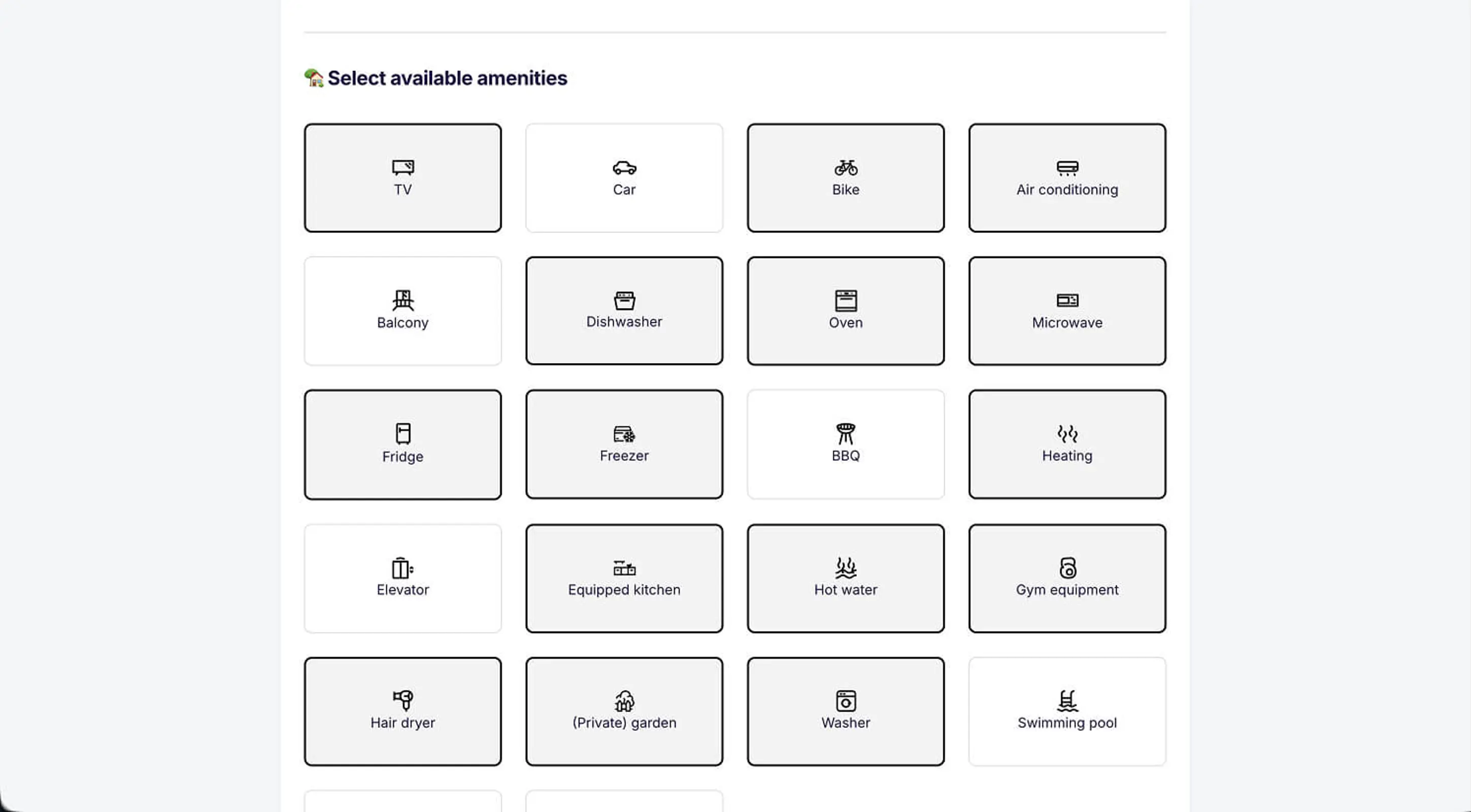
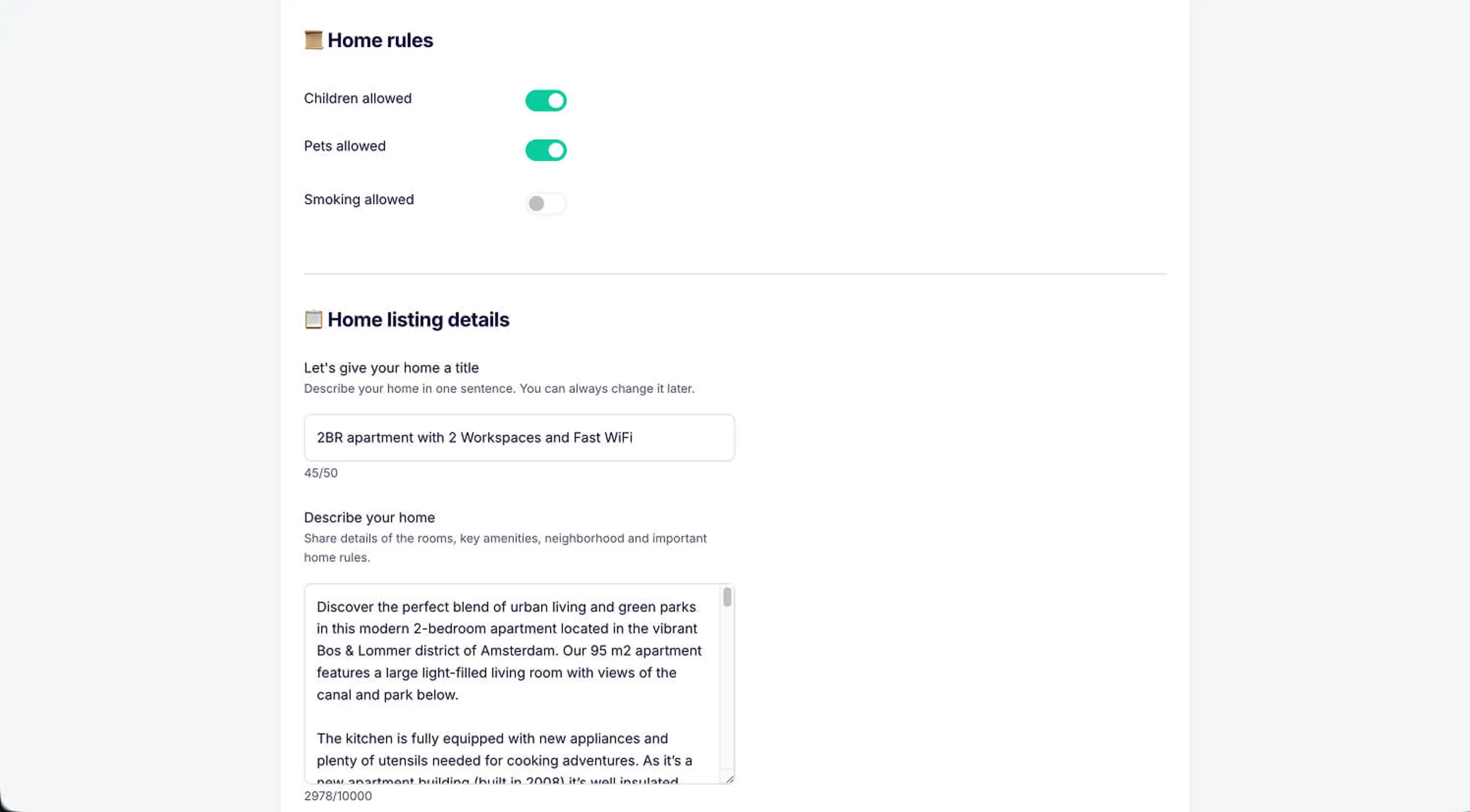
Amenities overview
Start with guests, bedrooms, and bathrooms. If you have a studio, toggle that option. For each bedroom, you can specify double beds, single beds, and bunk beds. For bathrooms, indicate whether a shower or bathtub is available.
Then select your available amenities: dishwasher, oven, microwave, fridge, freezer, heating, air conditioning, TV, balcony, (private) garden, washer, and more. House rules are next: whether children, pets, and smoking are allowed.
Finally, give your listing a title and description. The title is your first impression: make it catchy and descriptive. The description is where you really sell your home: share details about rooms, key amenities, the neighborhood, and important house rules. This is the part people often overthink, but don't worry, you can edit later. Need inspiration? Check out our home description tips.
Step 5.3: Work-From-Home Facilities (Remote workers will look for this first)
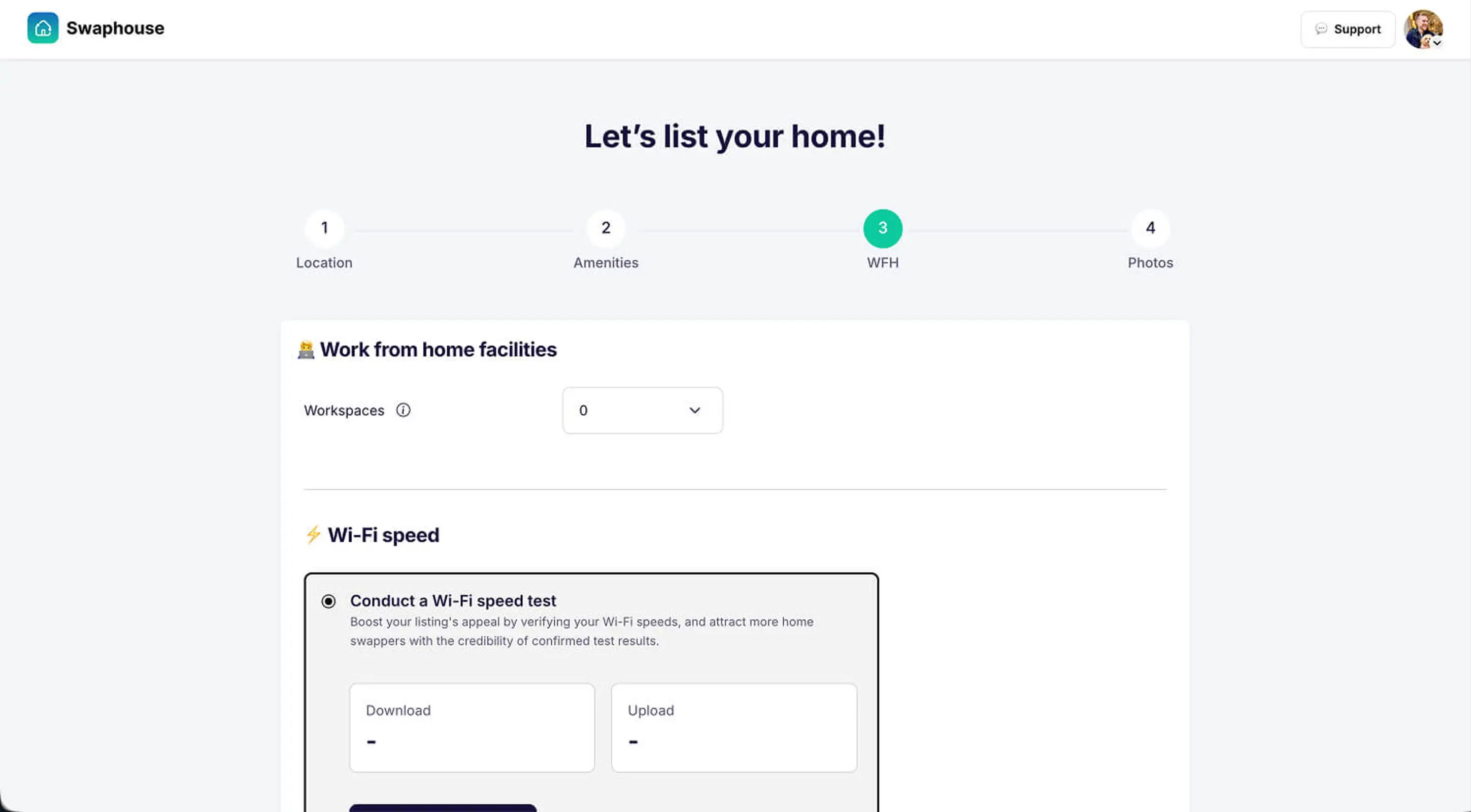
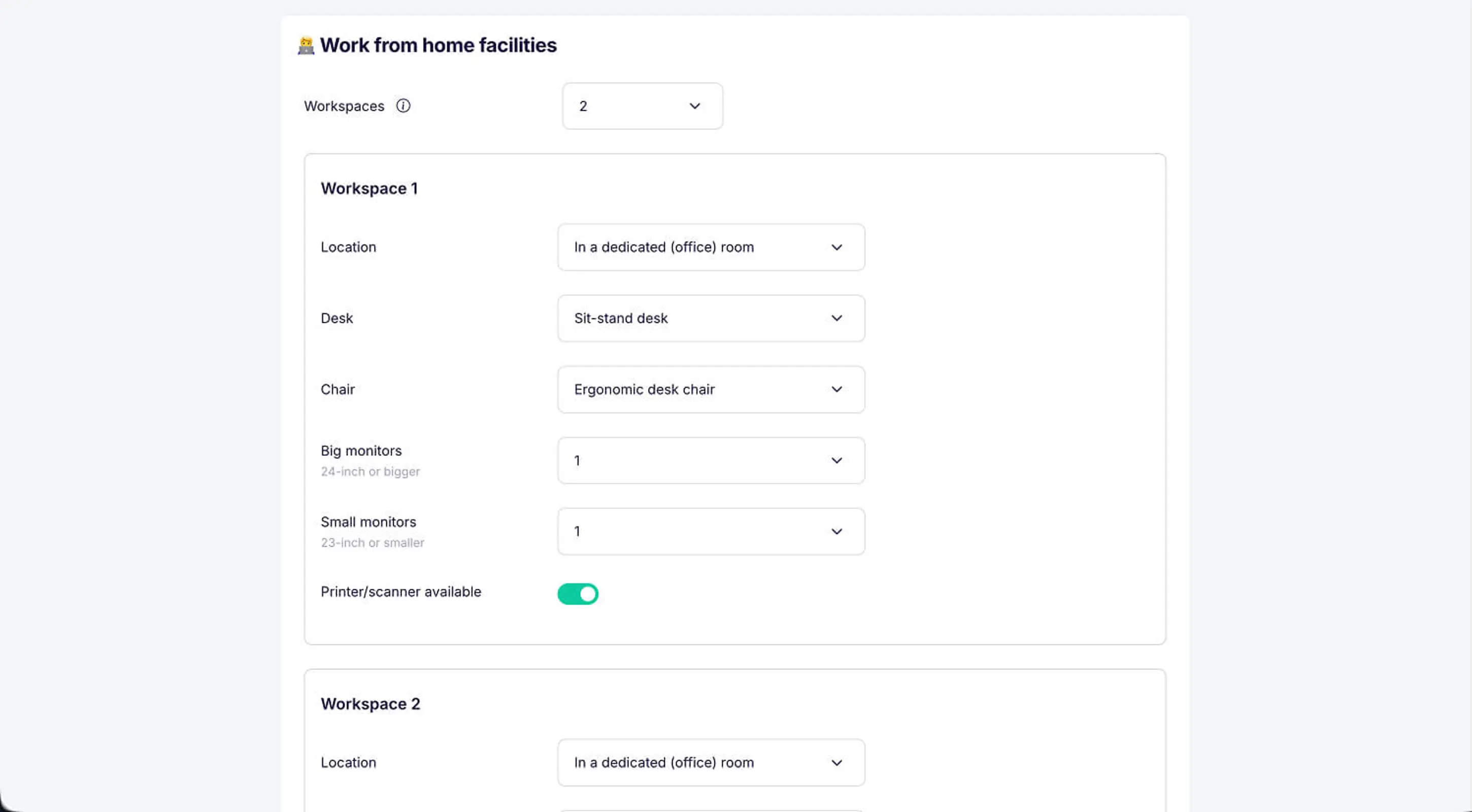
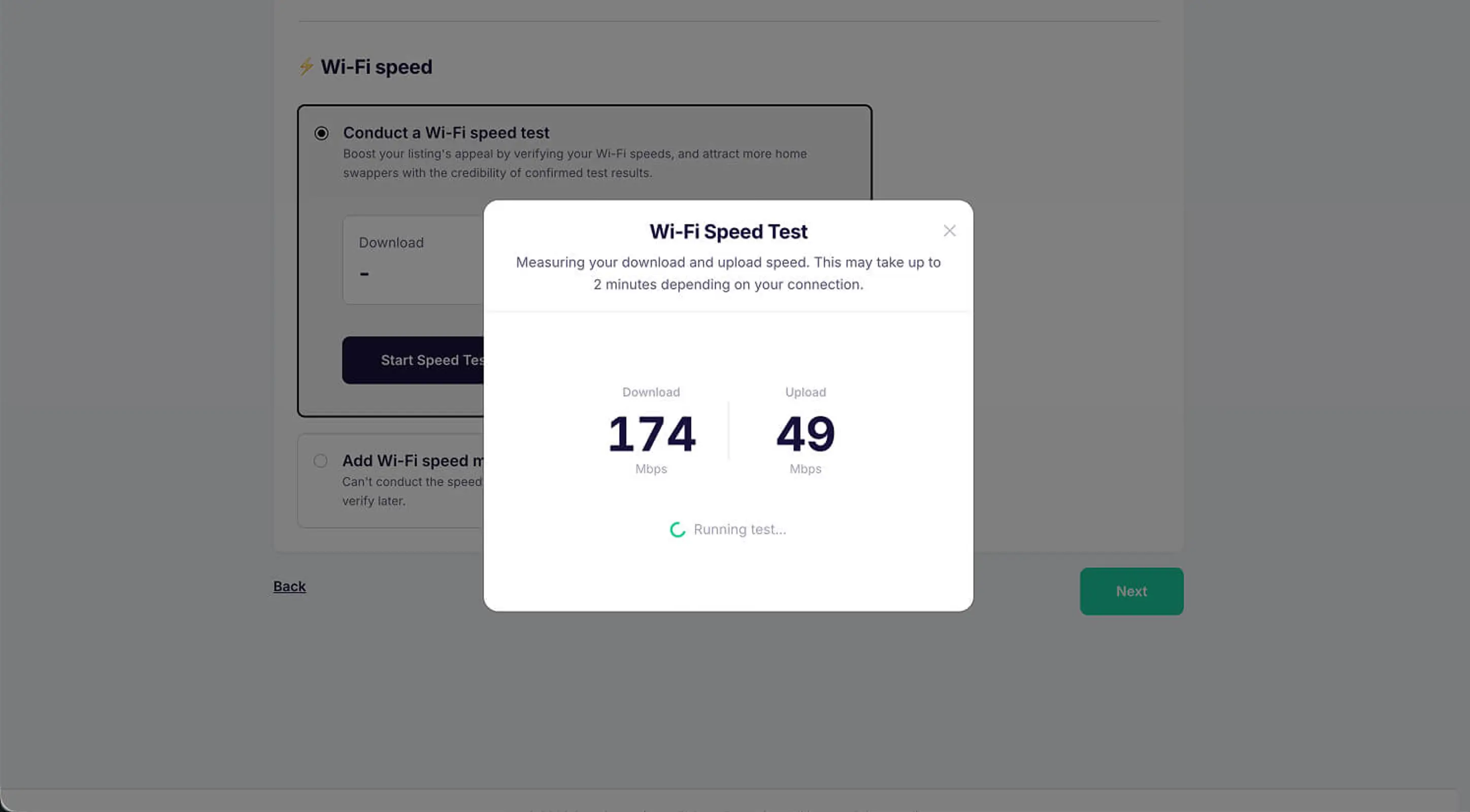
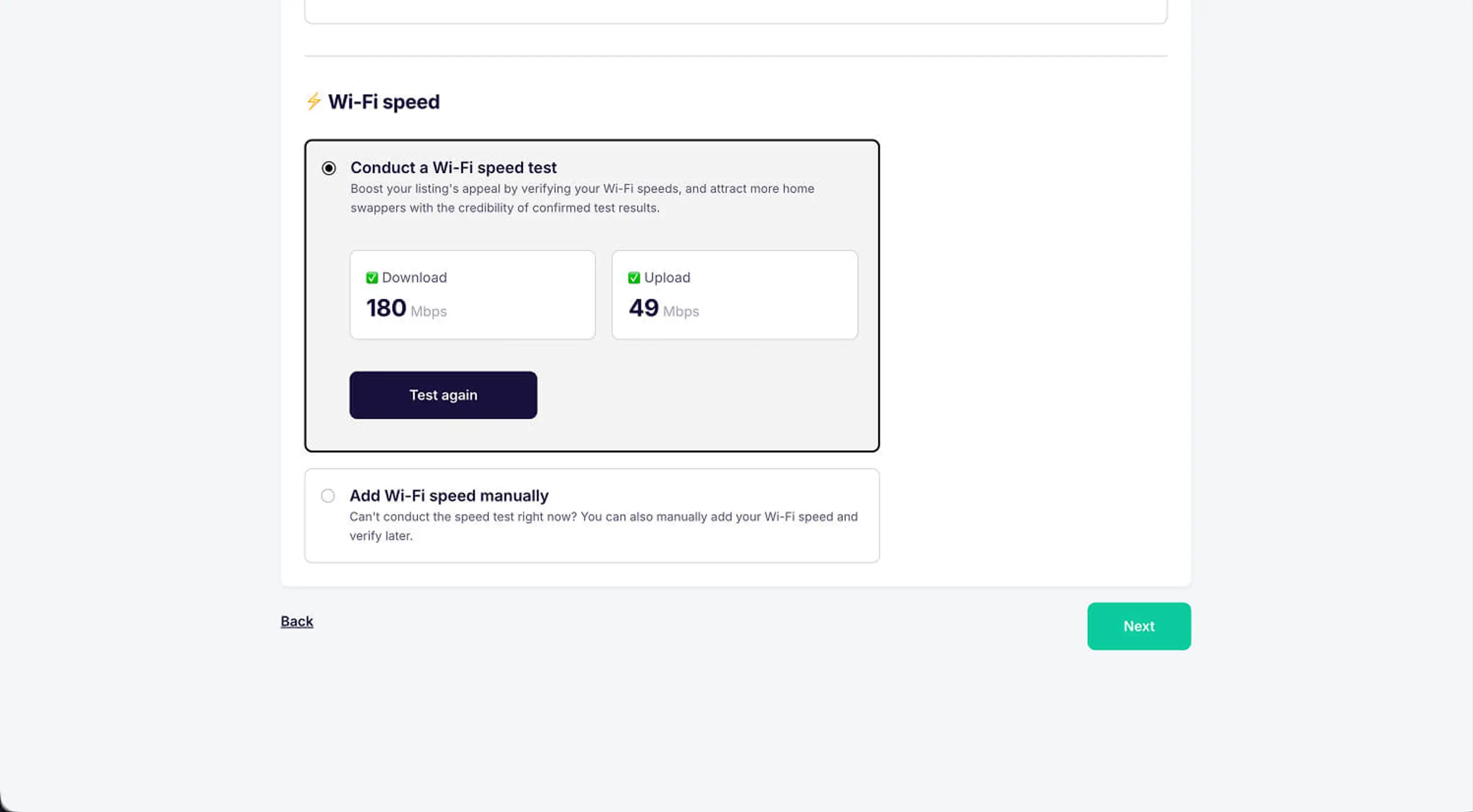
Work from home facilities overview
Swaphouse is designed for remote workers: every home listed should be able to host people who want to work remotely. Add your workspace(s): location (dedicated office room, bedroom, living room), type of desk and chair, whether external monitors are available, and printer/scanner access. Remote workers really appreciate this detail.
Just as important: list your Wi-Fi speed. We strongly recommend using the built-in Wi-Fi speed tester. Verified speeds earn a Wi-Fi checkmark badge on your listing, which remote workers love to see. Can't run the test right now? You can add speeds manually and verify later. Learn more about the Swaphouse Wi-Fi speed test.
Step 5.4: Add Photos (This is what gets you matches)
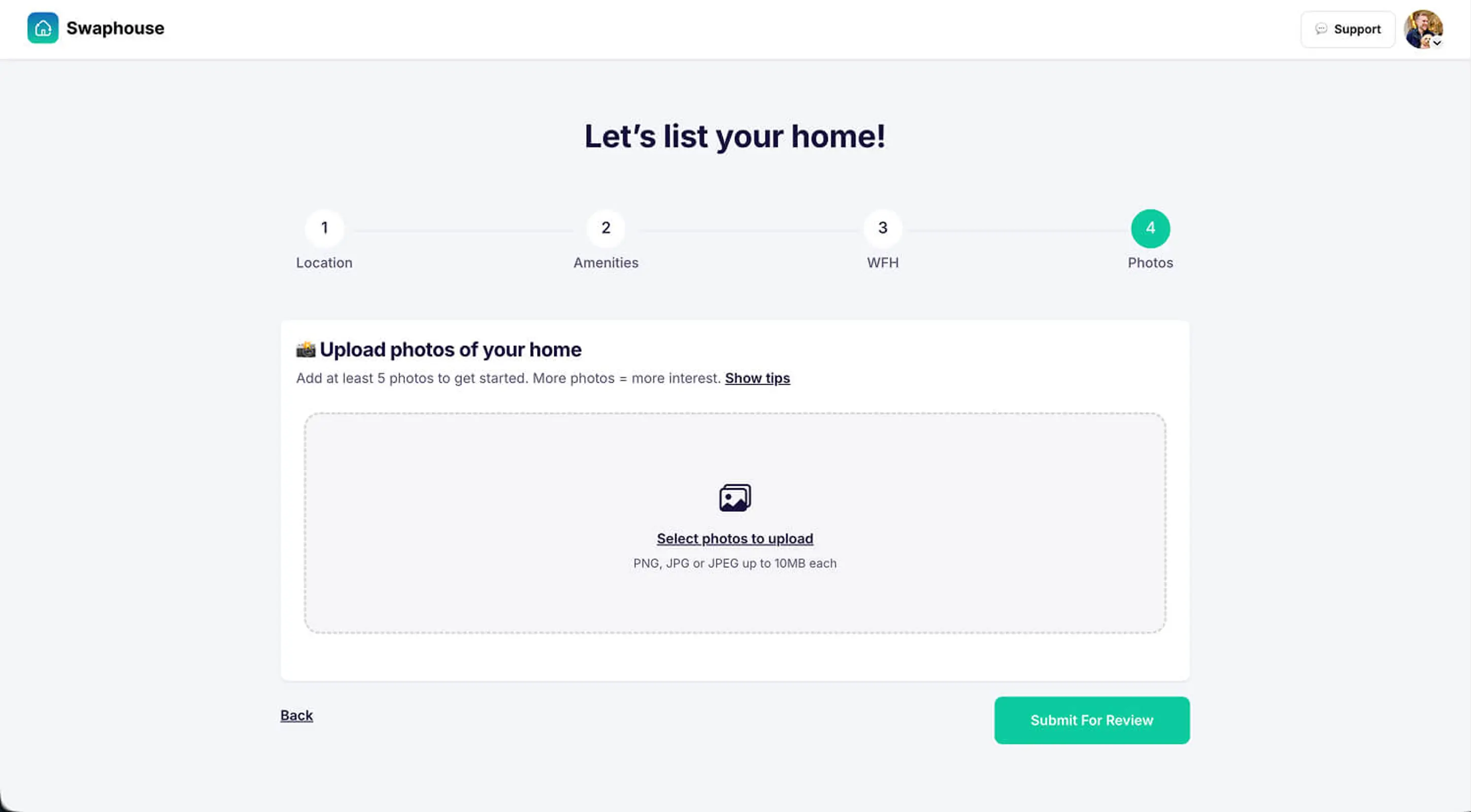
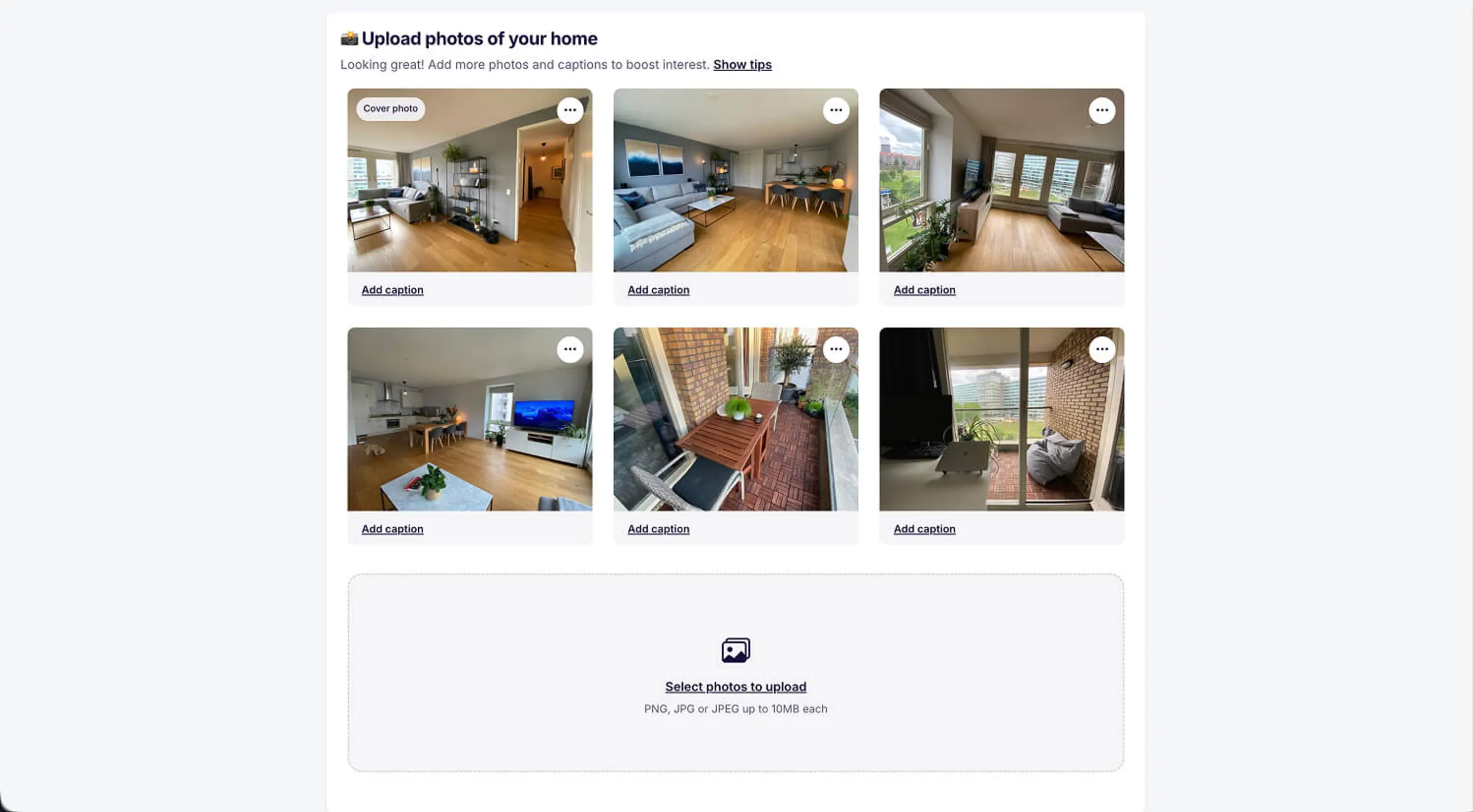
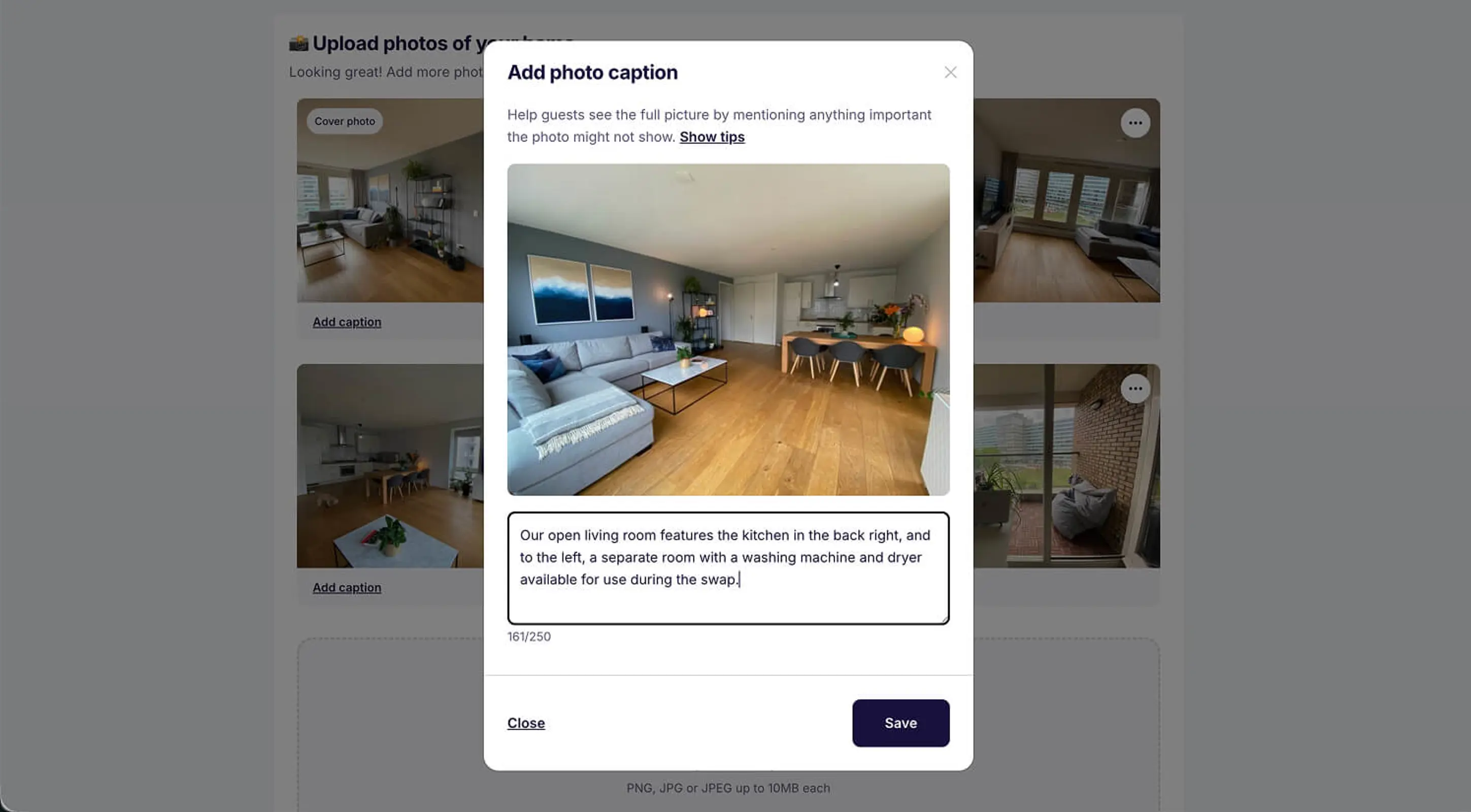
Upload at least 5 photos to get started
Upload at least 5 photos. More is better — homes with 10+ photos tend to get more interest. Photos are often the deciding factor for potential swappers. Here are our top tips:
- Show every room. Include living area, bedroom(s), kitchen, and bathroom.
- Highlight your workspace. Remote workers want to see where they'll be working.
- Capture outdoor spaces. Balcony, garden, or nearby surroundings.
- Use natural light. Take photos during the day with curtains open.
- Keep it tidy. A clean space photographs better and feels more inviting.
- Add captions. Help swappers understand what they're looking at. More caption tips.
For a full guide: How to take great photos of your home for home swapping.
Step 6: Submit Your Listing 🎉
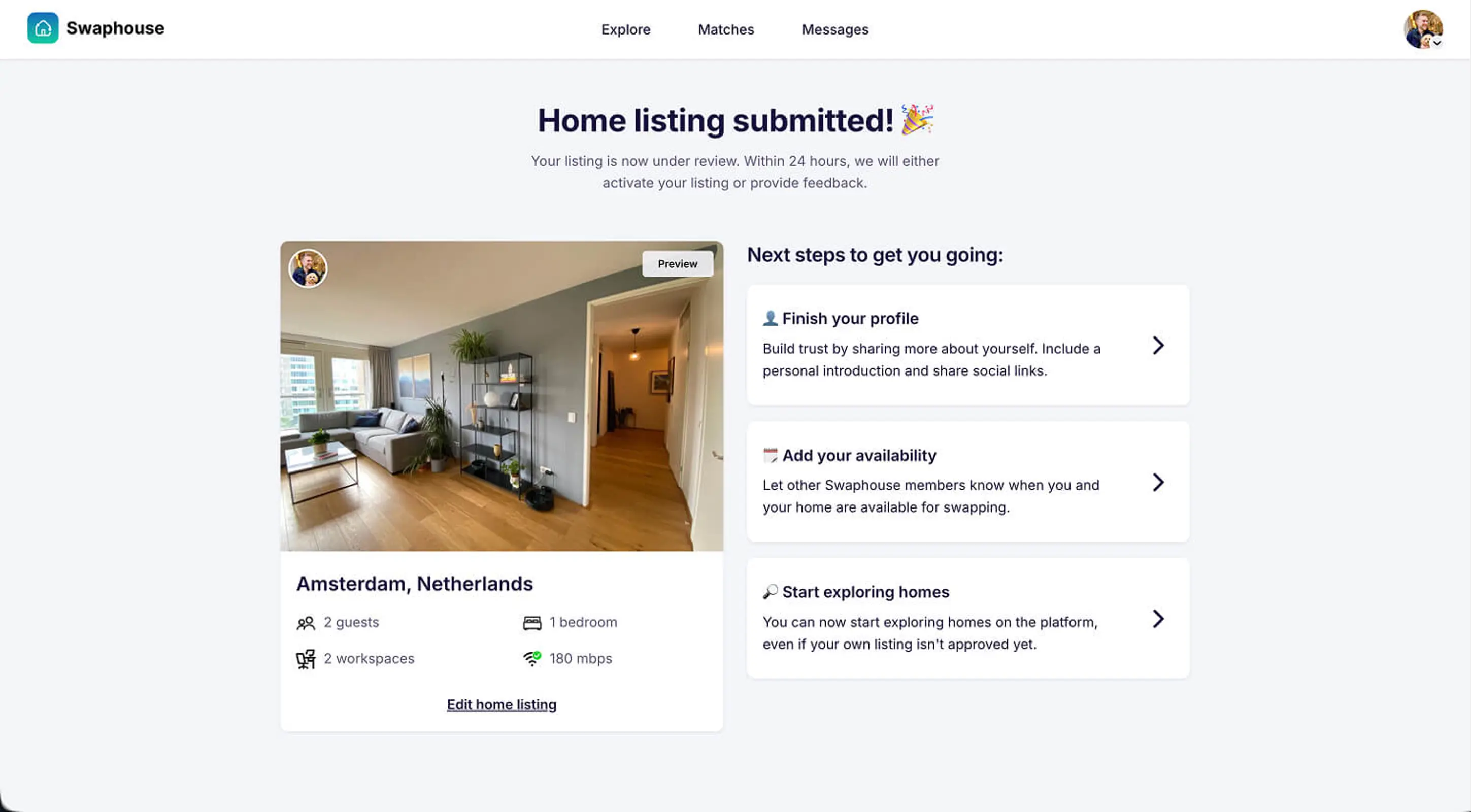
Once you hit "Submit For Review," your listing is under review. We usually review listings within 24 hours. If something's missing, we'll give you clear feedback so you can easily fix it. And remember: you can edit everything anytime. Nothing is set in stone.
Your listing is live. Now what?
Here are three things that'll help you get the most out of Swaphouse and start connecting with potential swappers:
Quick Recap
Six steps from sign-up to submission: (1) Sign up with LinkedIn, (2) Confirm your profile details, (3) Verify your email, (4) Accept the Terms & Conditions, (5) Create your home listing in four parts: Location, Amenities, WFH, and Photos, and (6) Submit! A strong listing helps you stand out and attract more interest from potential swappers, so take the time to showcase your home at its best.
Most members get their first match faster when their listing is complete, so take a few extra minutes now and future you will thank you.
Ready to start your first swap?
About Swaphouse
Imagine if you could travel to a destination of your choice, for free, without having to pay any accommodation costs. At Swaphouse, we believe this is the future of travel, and it's our mission to make it an accessible reality for every traveler.



Community Comments
Join the Conversation
Sign in to share your tips and experiences with the community